
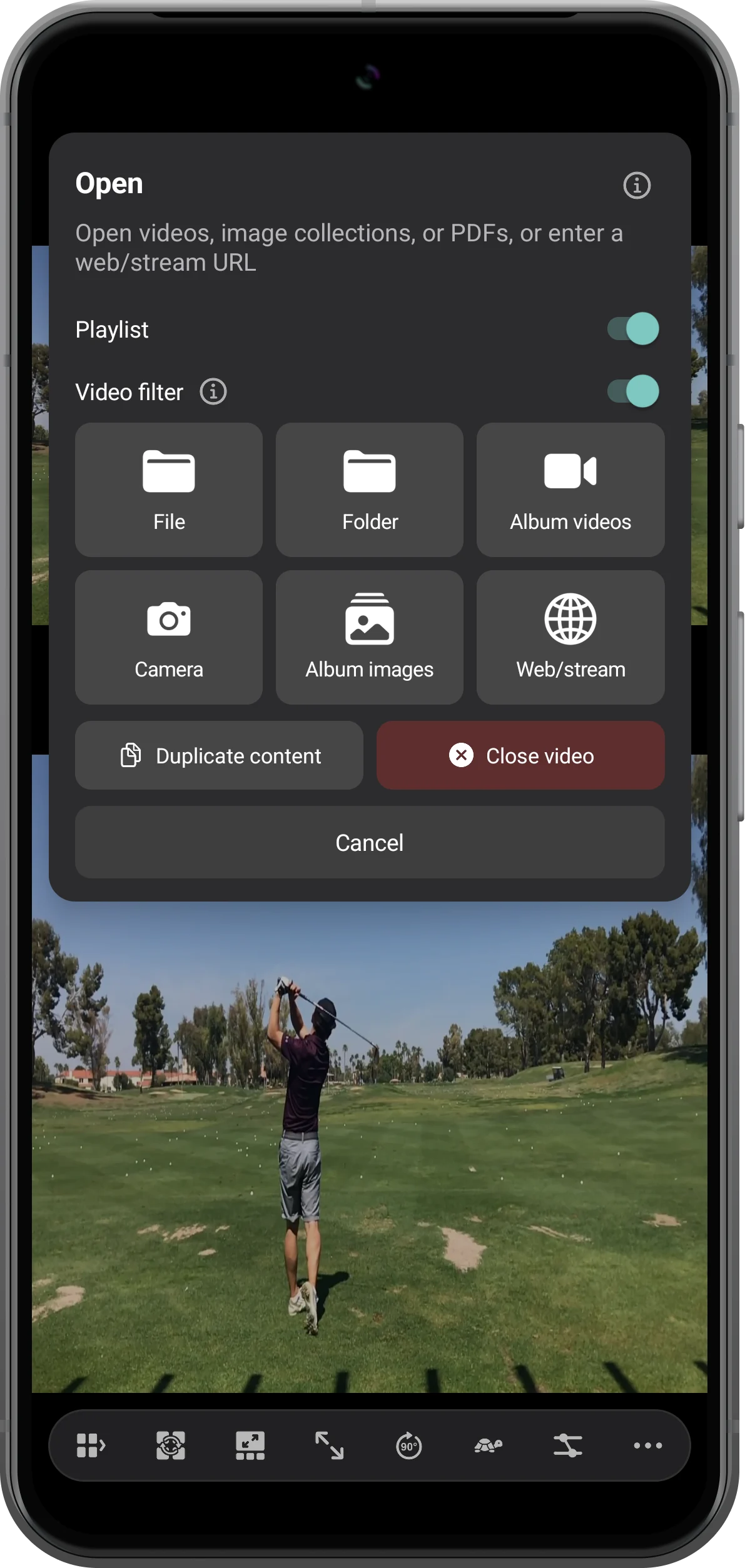
In a player's Open menu, enable Playlist and Video filter. Choose candidate clips in Album videos, tap Done, then select a filter and play the matches. In this example, Portrait returns four of eight videos.
Enable playlist filtering
Tap the target player's + button. Turn on Playlist, then Video filter. Choose Album videos; this flow builds a playlist in that player.
Select the candidate videos
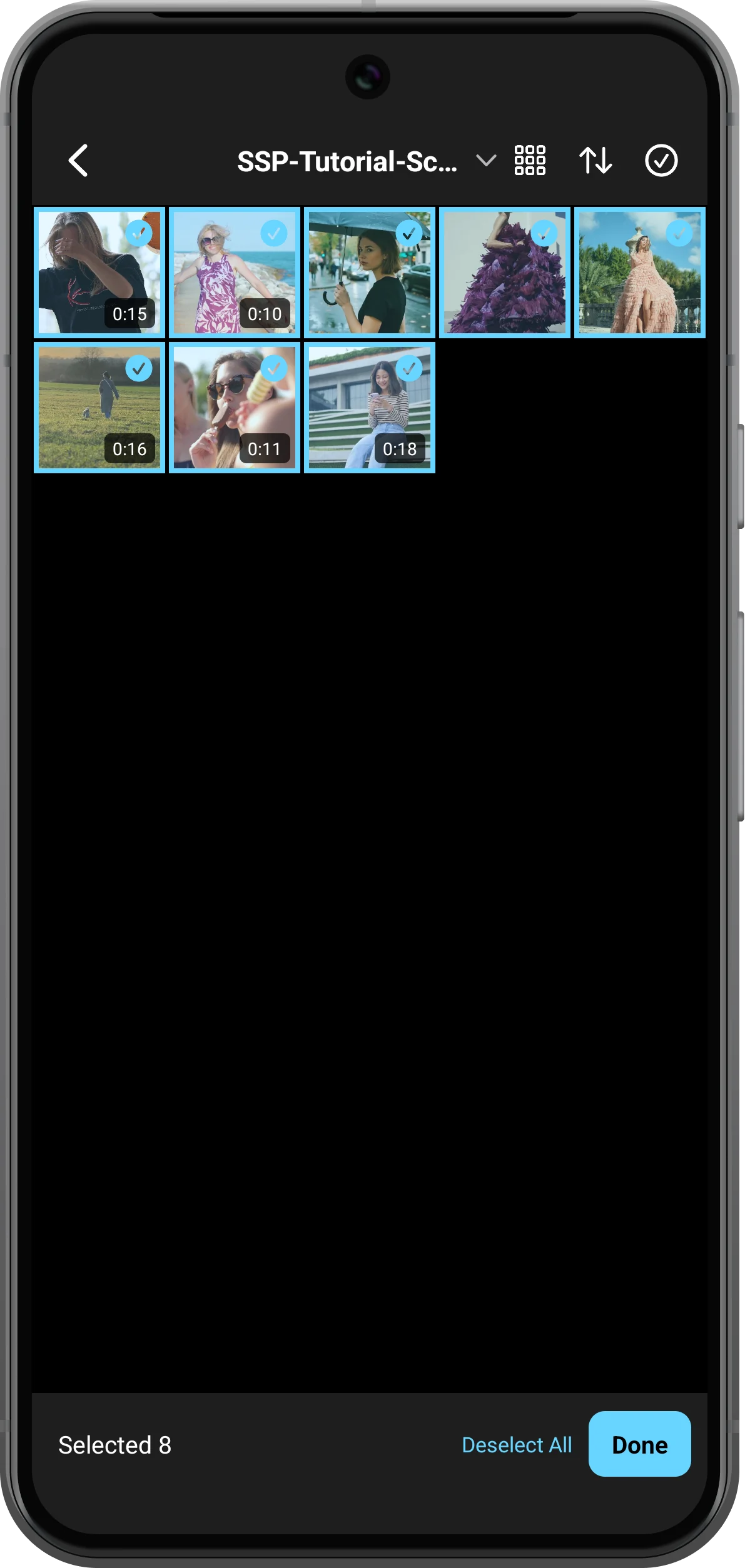
Choose the album and select the clips to check. Here all eight scene videos are selected. Tap Done to continue to the filter chooser.
Choose the matching rule
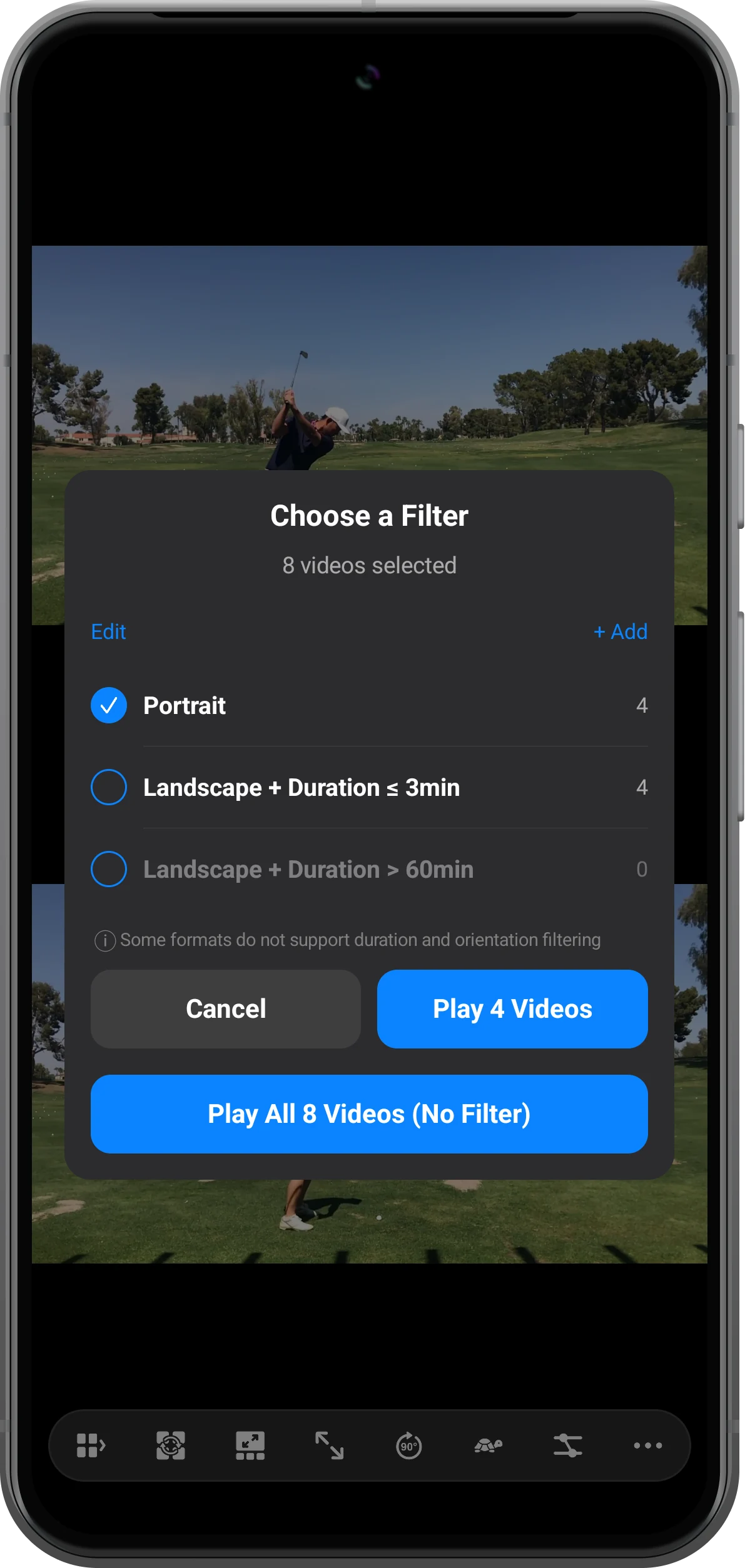
Choose a Filter shows a count beside each rule. Select Portrait and tap Play 4 Videos in this example. Play All 8 Videos (No Filter) would bypass filtering.
Review the resulting playlist
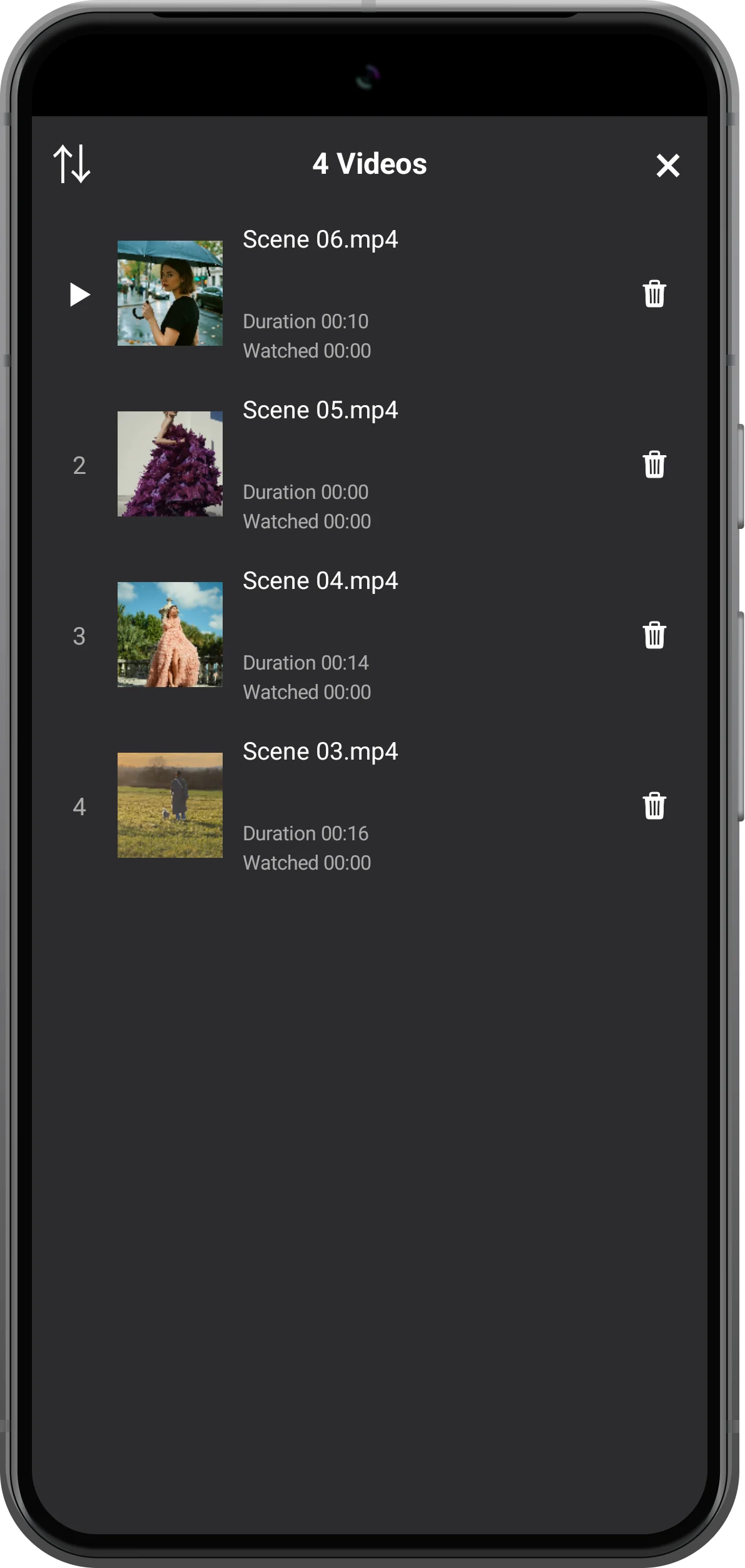
Reveal the player's controls and open its playlist button. Check the four entries, then choose an entry to play. Other players keep their own content.
More possibilities
Useful details
Check these details as you follow the steps.
Create a custom filter
Use + Add in Choose a Filter. Add conditions for Duration, Orientation or File Name. Multiple conditions are combined; review the displayed match count before opening.
Allow for missing metadata
The app warns that some formats cannot be filtered by duration or orientation. Files with unavailable metadata can remain in the results; filtering is not a guarantee of exact file properties.
Frequently asked questions
Does the filter search my entire photo library?
This workflow filters the videos you selected first. Choose the relevant album and candidate clips before applying the rule.
Can I use filtering without making one playlist?
The bottom toolbar's Open menu also offers Video filter for a batch workspace. The steps above deliberately use a player's Playlist setting to keep the matches in one player.
Split Screen Player
Try this with your own media
Open Split Screen Player and follow the steps with files you want to use.

