
Open Sync groups from the bottom toolbar. Set a sync point in each video, check the pairing in Preview alignment, turn on Synchronized playback, and tap Apply.
Open the synchronization group
Load the clips in separate panes and open Sync groups. Work in the group containing the two recordings, and identify the same stage of the movement in both previews.
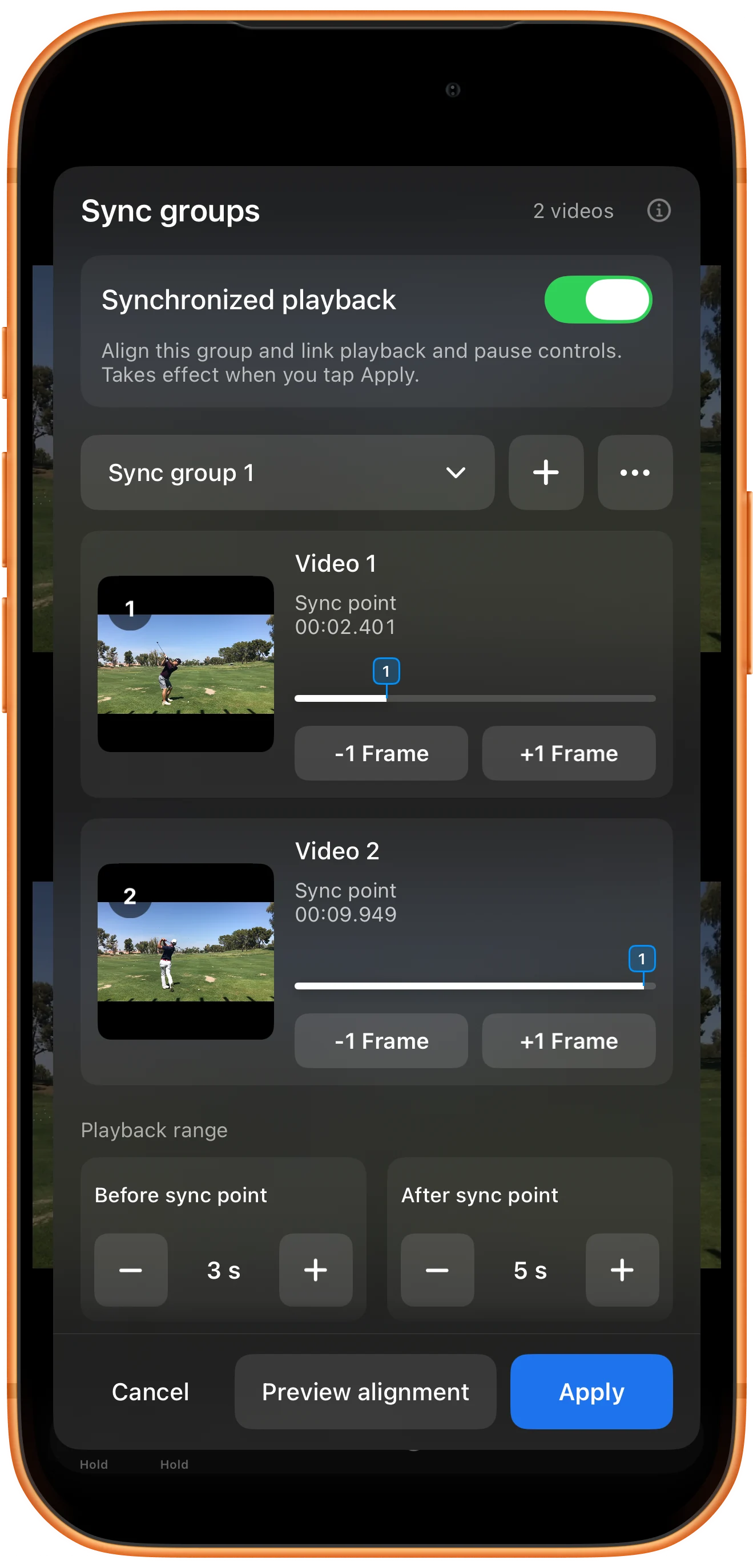
Adjust each clip’s reference point
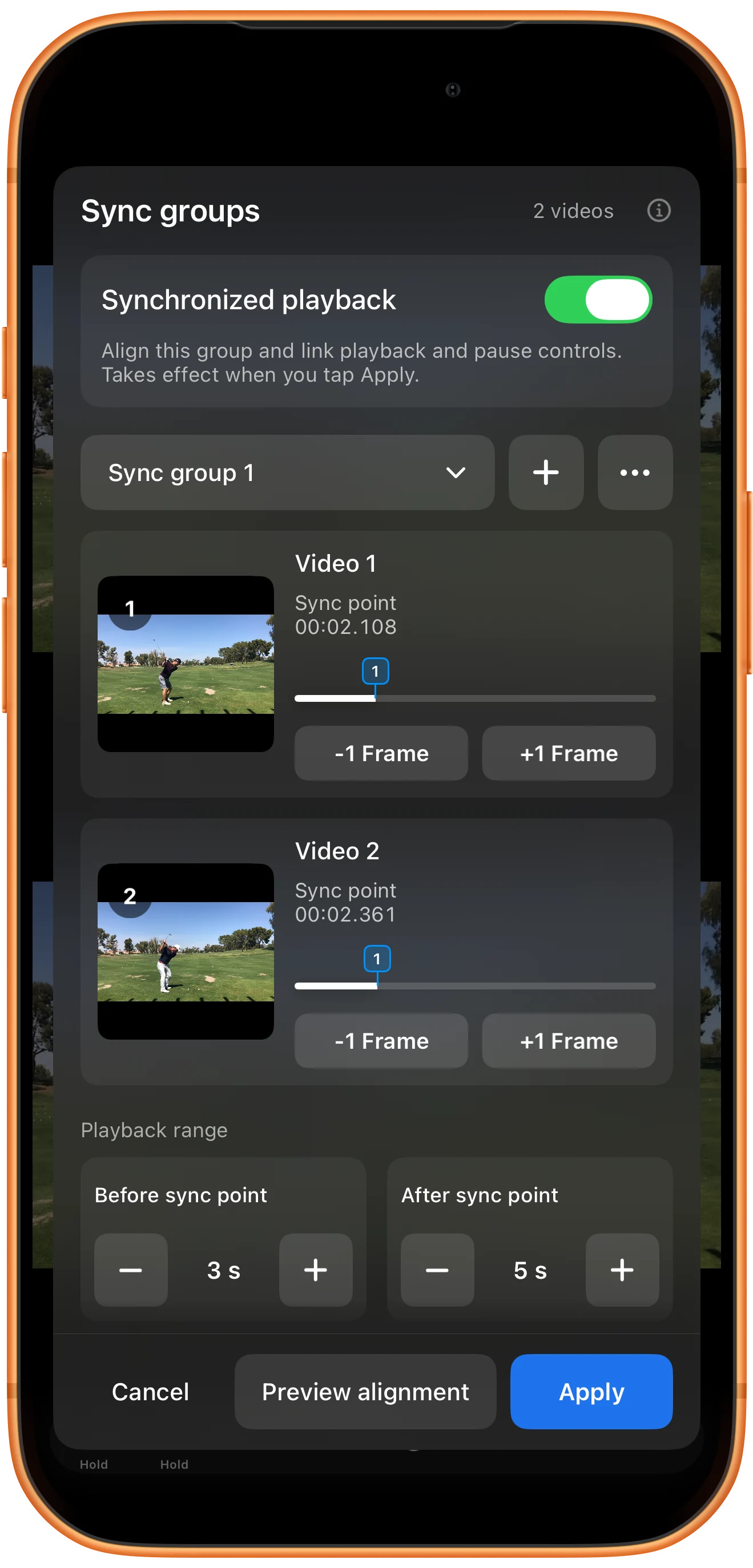
Use the −1 Frame and +1 Frame buttons under each preview to refine the points. In this example they are set to 2.108 seconds in Video 1 and 2.361 seconds in Video 2.
Check the alignment in a preview
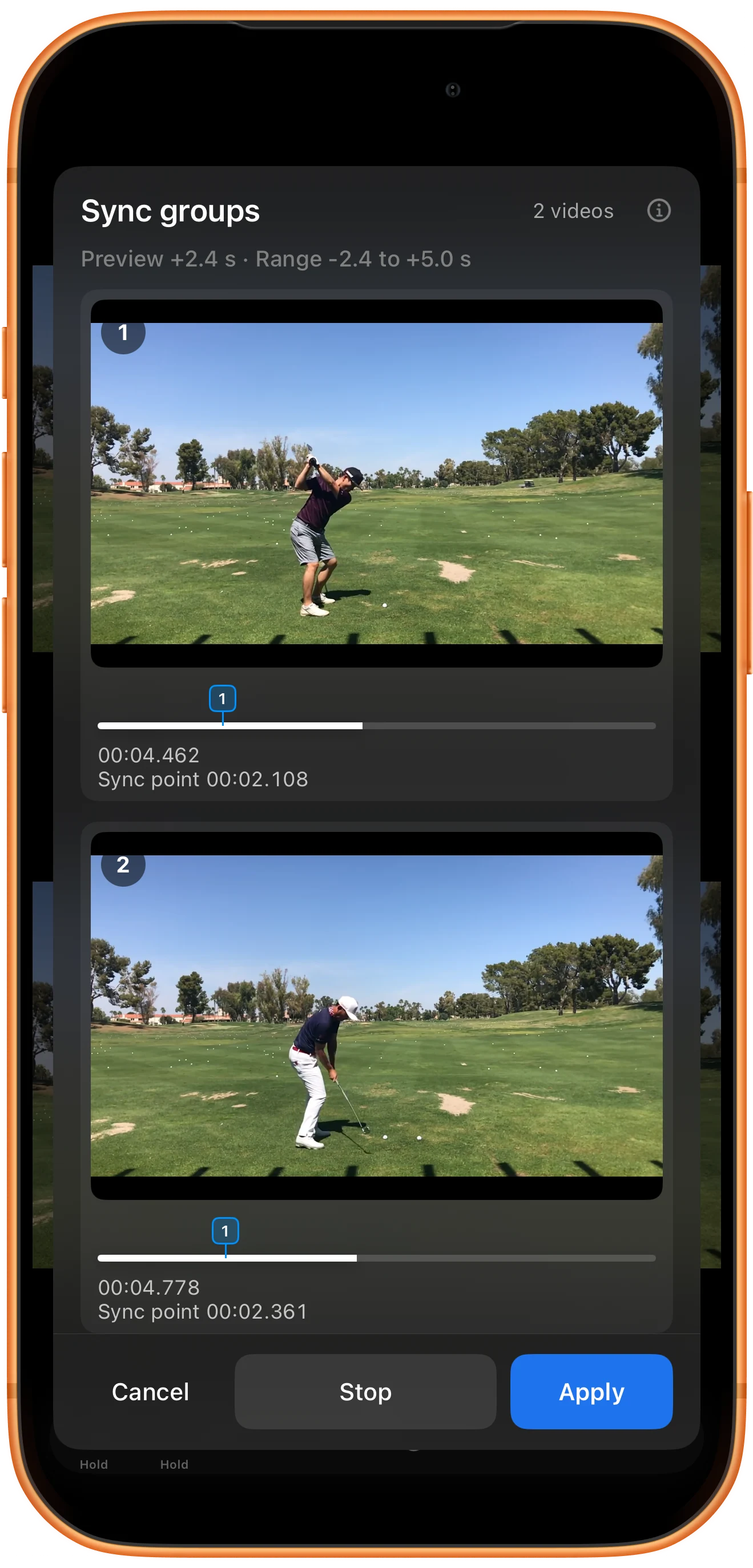
Tap Preview alignment to watch the clips around their points. Use the before-and-after ranges to include enough context, stop the preview, and adjust the points if the action still does not match.
Enable synchronized playback
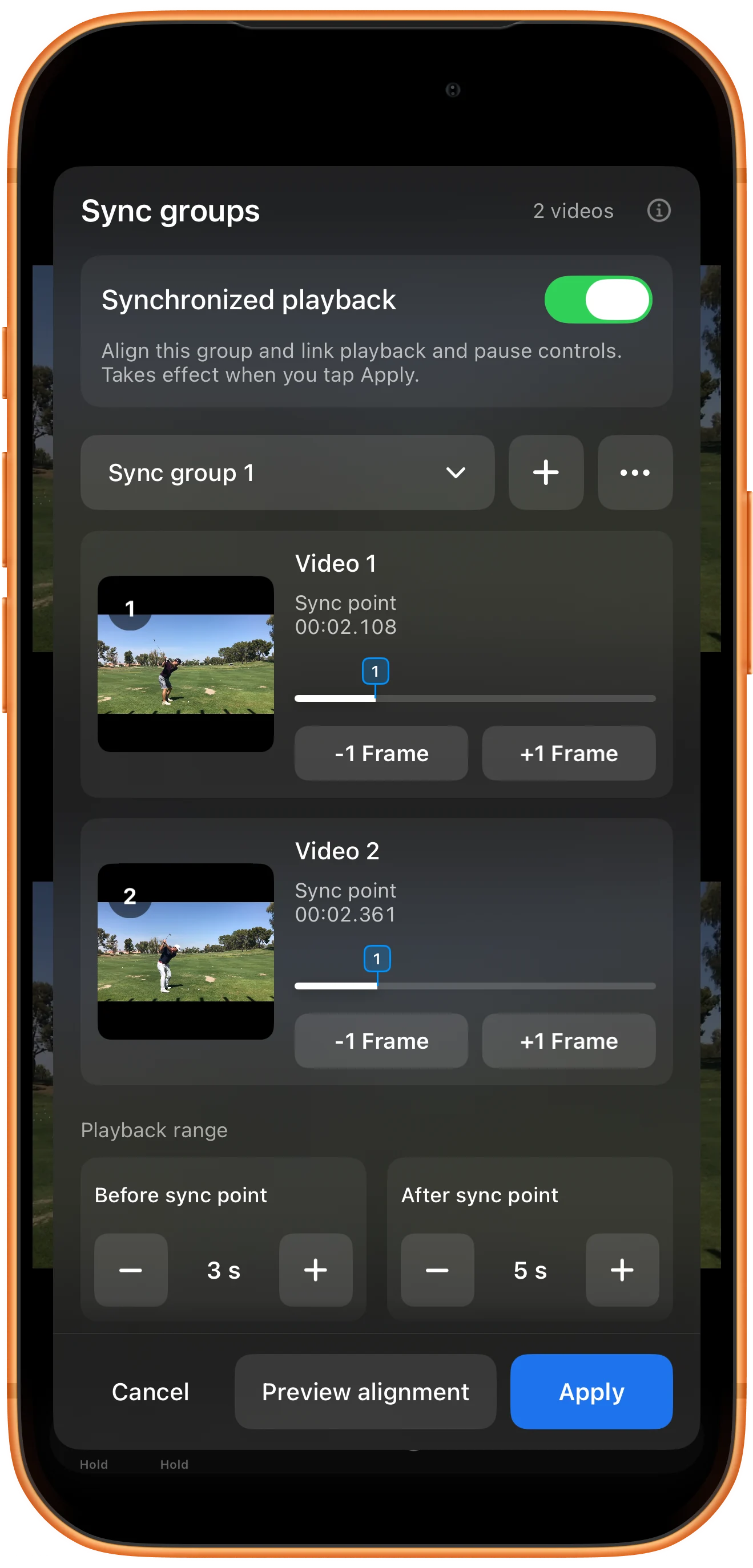
Enable Synchronized playback and tap Apply. The workspace displays numbered sync markers. Start one player and check that the other participates in synchronized playback.
More possibilities
Useful details
Check these details as you follow the steps.
Choose the event yourself
The app does not infer which golf swing poses should match. Select corresponding moments in the source videos and use the preview to judge the result.
Linked controls are a separate setting
The ordinary Lock button links player controls. Synchronization also uses the reference points you set, so simultaneous Play alone does not align different recording starts.
Frequently asked questions
Must both sync points have the same timestamp?
No. Different timestamps are expected when recordings start at different times. The visible event is what should correspond.
Are checkpoints the same as sync points?
No. A checkpoint helps you revisit one video position; a sync point defines the reference used to coordinate clips.
Split Screen Player
Try this with your own media
Open Split Screen Player and follow the steps with files you want to use.

