
In Settings → Video Settings, enable Show Frame Mode Button. Open two local videos, reveal a player’s controls, and tap the filmstrip. Use −1 Frame and +1 Frame beside Play.
Reveal and enable frame controls
If the filmstrip is missing, enable Show Frame Mode Button in Video Settings first. Tap a video to reveal its controls, then tap the filmstrip. Frame mode pauses the video and displays milliseconds.
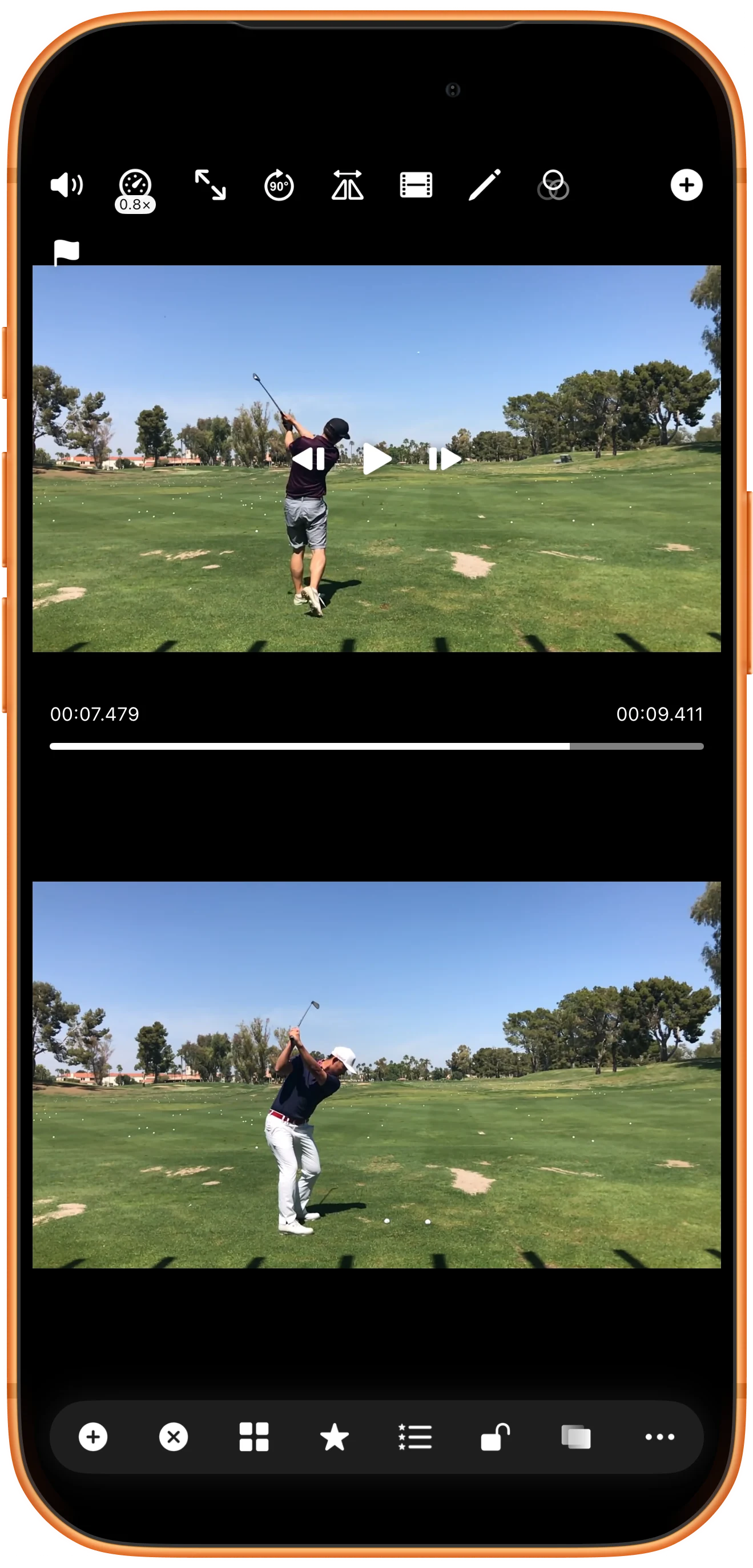
Inspect the next recorded frame
Use +1 Frame or −1 Frame beside Play. The screenshots show adjacent positions of 00:07.479 and 00:07.513. Read the actual time in your clip rather than assuming a fixed frame interval.
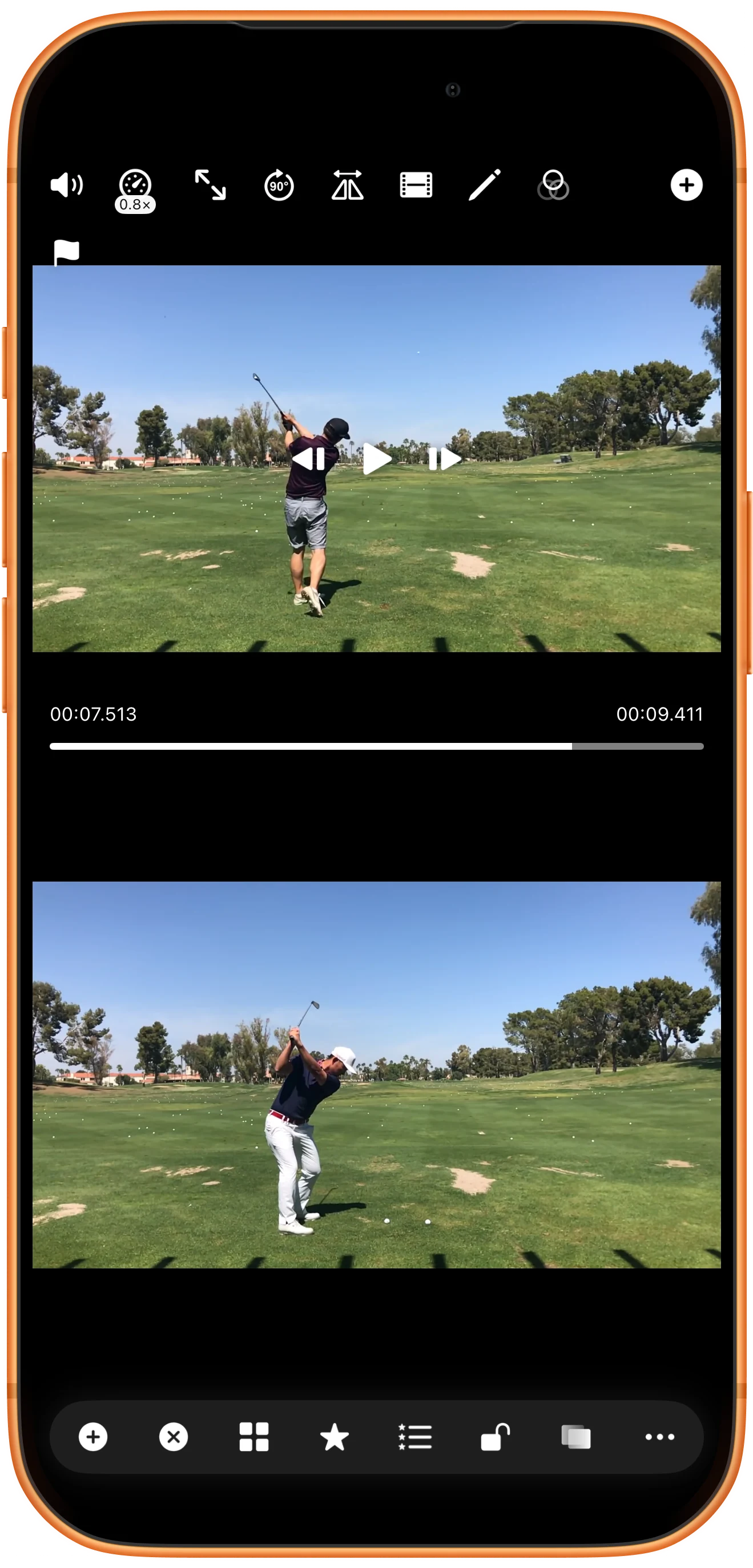
Review movement at a slower speed
Open the speedometer control and adjust Video Speed below 1×. Resume playback to watch the motion, then pause for further frame inspection. The slider supports very slow rates, including the 0.05× shown here.
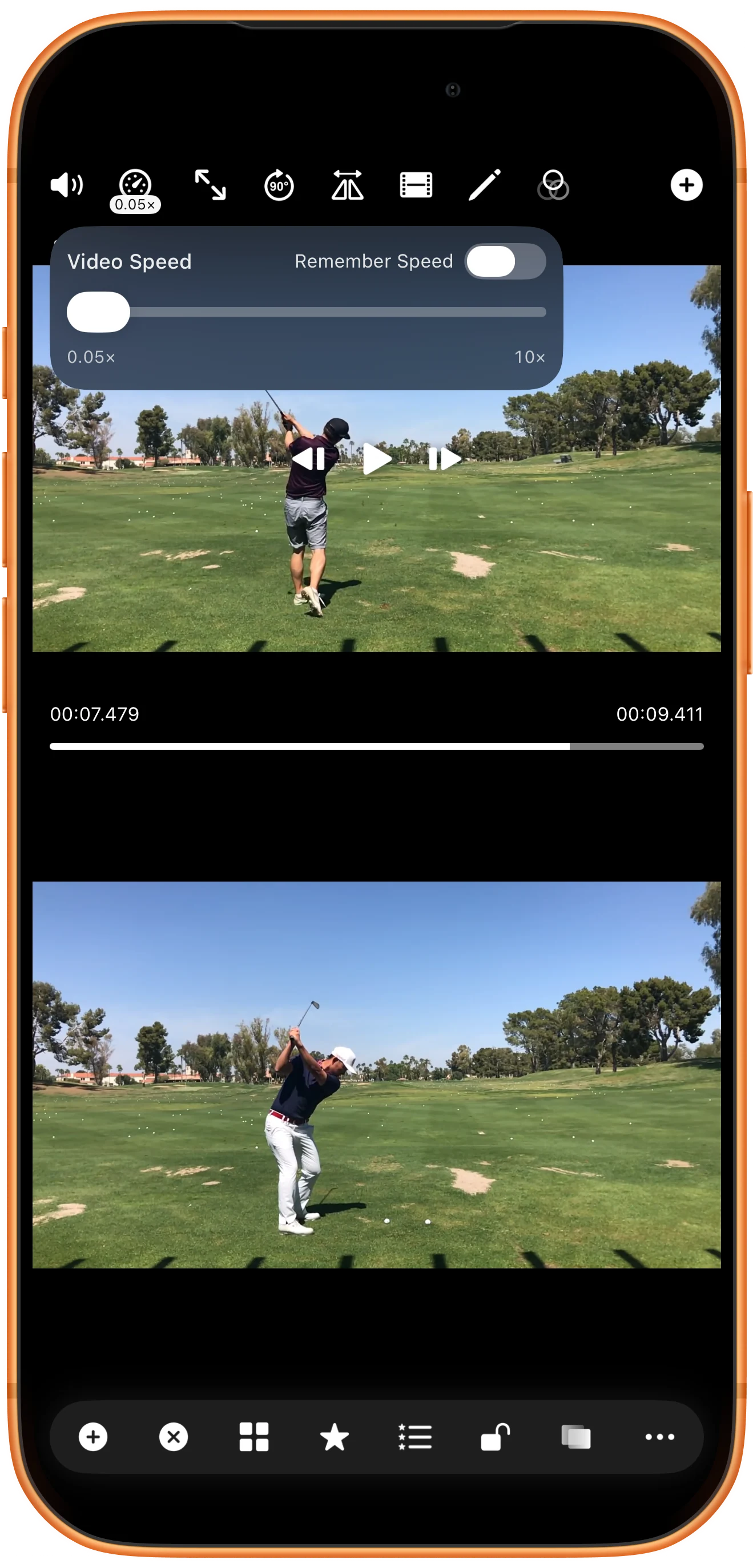
Repeat in the other player
Reveal the second video’s controls and enable its filmstrip. Step that clip independently to find the same stage of the action. Equal elapsed times do not necessarily represent matching poses.
More possibilities
Useful details
Check these details as you follow the steps.
Compare matching actions
Find a shared event such as ball contact in each recording. Use synchronization points when you want to keep those events aligned during playback.
Reveal controls before tapping
Playback controls fade away. Tap the video to show them again before choosing a small frame or speed button.
Frequently asked questions
Why is the filmstrip missing?
Check Show Frame Mode Button in Video Settings and use a compatible local video. Web content does not necessarily expose these controls.
Does slow motion create extra detail?
No. It slows the recorded movement; it does not add missing frames or improve the source resolution.
Split Screen Player
Try this with your own media
Open Split Screen Player and follow the steps with files you want to use.

