


Find the shared action
Drag each timeline to the same movement, sound, or visible cue.
Sync & comparison
Different recordings rarely begin at the same instant. Sync Point lets you define the moment that matters in each clip, while Sync Lock keeps the relationship intact.
Match the movement once, then inspect every angle together.
Download from the App Store for iPhone and iPad with iOS / iPadOS 15 or later, or from Google Play for phones and tablets with Android 6 or later. Follow the guide for your platform.
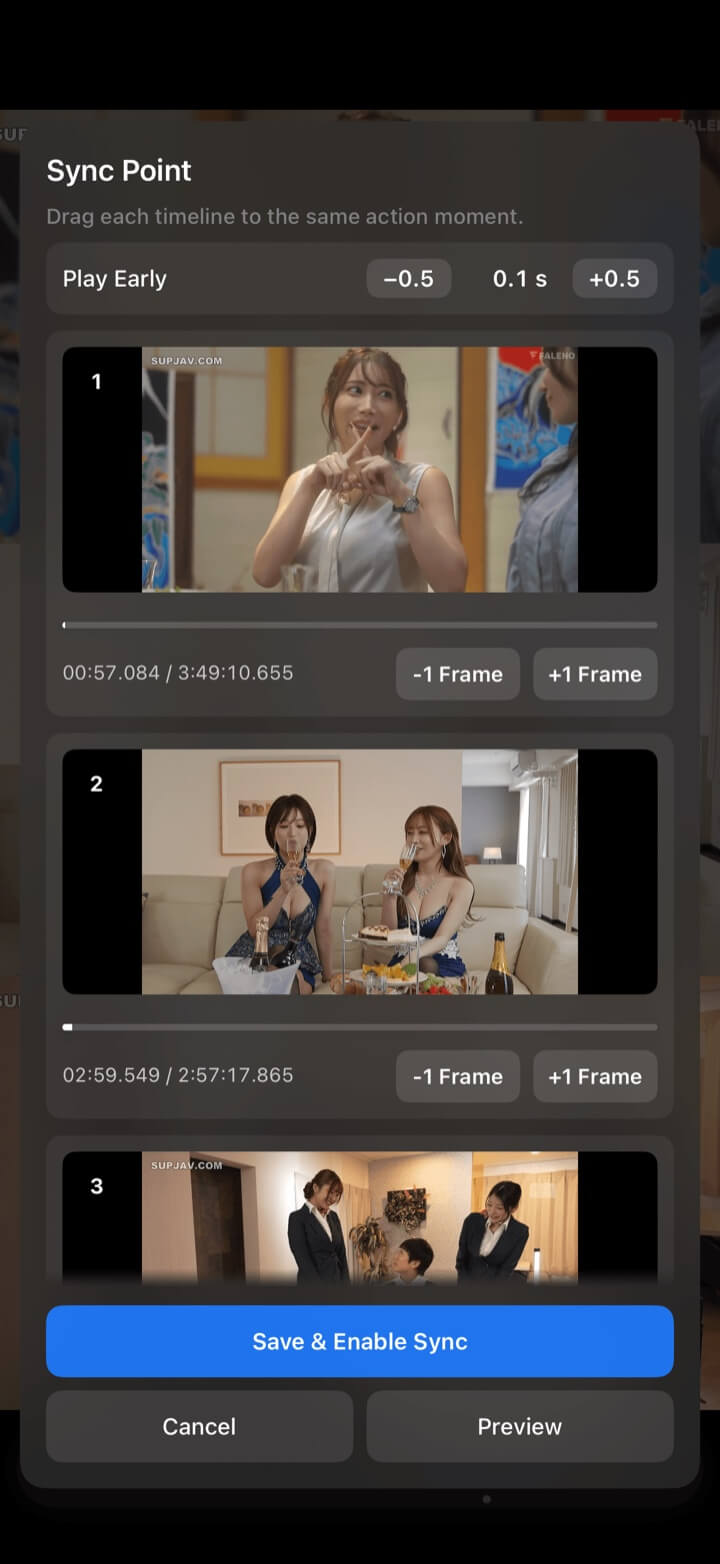
Sync Point
Recordings can begin minutes apart. Sync Point stores an independent anchor for each clip, so the app aligns the action rather than assuming matching timestamps.
Drag each timeline to the same movement, sound, or visible cue.
Use −1 Frame and +1 Frame for compatible videos, then set a small early-play offset when useful.
Play the aligned sources before committing to make sure the moment matches.
Store the anchors and turn on linked playback and seeking.
Precision review
Sync Lock preserves the offsets as you play or seek. Checkpoints, milliseconds, slow playback, zoom, and frame stepping help reveal a difference that lasts only an instant.
Maintain the saved relationship while compatible videos play and seek together.
Move all ordinary videos one frame backward or forward; unsupported sources are skipped.
Give each video its own review markers, then jump all players to their corresponding previous or next point.
A bookmark can preserve the layout, sources, positions, and synchronization configuration.
Sync Point and frame stepping apply to ordinary video sources; live streams, web pages, images, and PDFs do not have the same frame timeline.
Explore more
← Back to homeSync & comparison
Keep every angle aligned long enough to see it.