


Live and RTSP
Paste one stream URL per line, open HLS/M3U8 or RTSP sources, keep history and bookmarks, and retry after connection failures.
Multitasking workspace
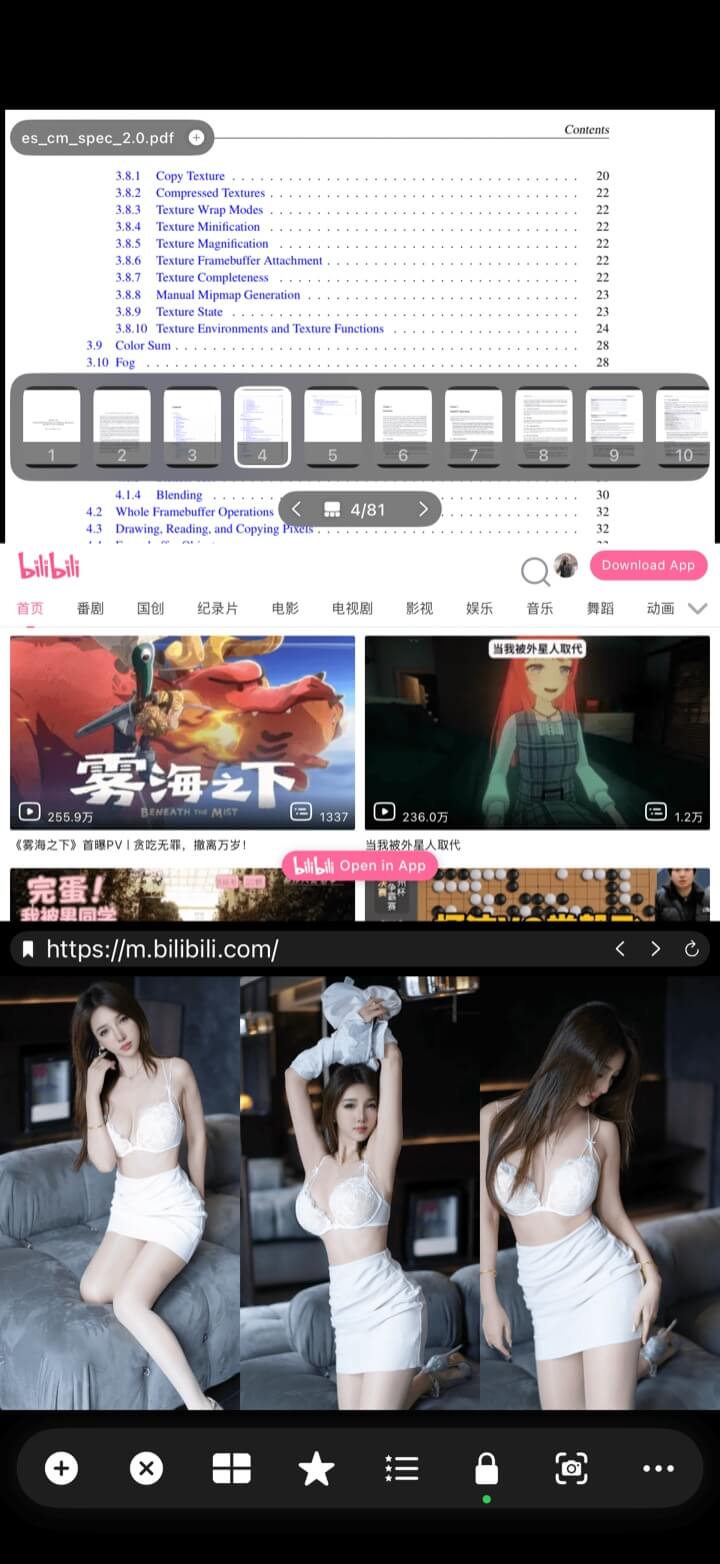
Comparison often involves more than local clips. Load stream links, IPTV channels, image folders, PDFs, and web references without leaving the multi-view layout.
Keep live and static sources visible in the same place.
Both versions open local media, web pages, and HLS / M3U8 / RTSP links. IPTV channel lists, Xtream Codes, and web video downloads are currently available on iPhone and iPad.
Mixed sources
Combine local video, live streams, RTSP, Xtream channels, images, web pages, PDFs, and music inside one layout. Each region keeps the controls appropriate to its source.
Paste one stream URL per line, open HLS/M3U8 or RTSP sources, keep history and bookmarks, and retry after connection failures.
Save an Xtream account, browse and search channels, then open selected streams in the multi-view workspace.
Browse with back/forward controls, choose toolbar placement, keep bookmarks, and block unwanted app-opening redirects.
Open albums or folders, include images from subfolders, choose forward, reverse, or random order, and set images per page and the playback interval. Zoom from 50% to 500%.
Open multiple PDFs, view page count, use a cached thumbnail strip, tap a thumbnail or page label to jump, and use standard PDF zoom and scrolling.
Keep audio alongside visual references and control which player is audible with global or solo-audio tools.
Image playback, PDF reading, and web browsing are available with VIP.
How to add a source
Choose the content you want to open, place it in a split-screen region, and save the whole layout as a bookmark.
Open local media, stream URL, Xtream, image browser, web browser, PDF, or music.
Select a file or folder, paste URLs, sign in to Xtream, or navigate to the page you need.
Use any preset or custom region; replace or move a source later without rebuilding the workspace.
Create a bookmark to restore the sources, layout, and playback state together.
Explore more
← Back to homeMultitasking workspace
Your workspace should still keep them together.