


Composition
Preserve the current layout while adjusting background, borders, spacing, crop, position, and rotation.
Split-screen export
The workspace does not have to remain inside the app. Split-screen export turns the complete layout into a single video for a tutorial, review, reaction, or short-form post.
Your arrangement, timing, framing, and audio become one finished file.
Download from the App Store for iPhone and iPad with iOS / iPadOS 15 or later, or from Google Play for phones and tablets with Android 6 or later. Follow the guide for your platform.
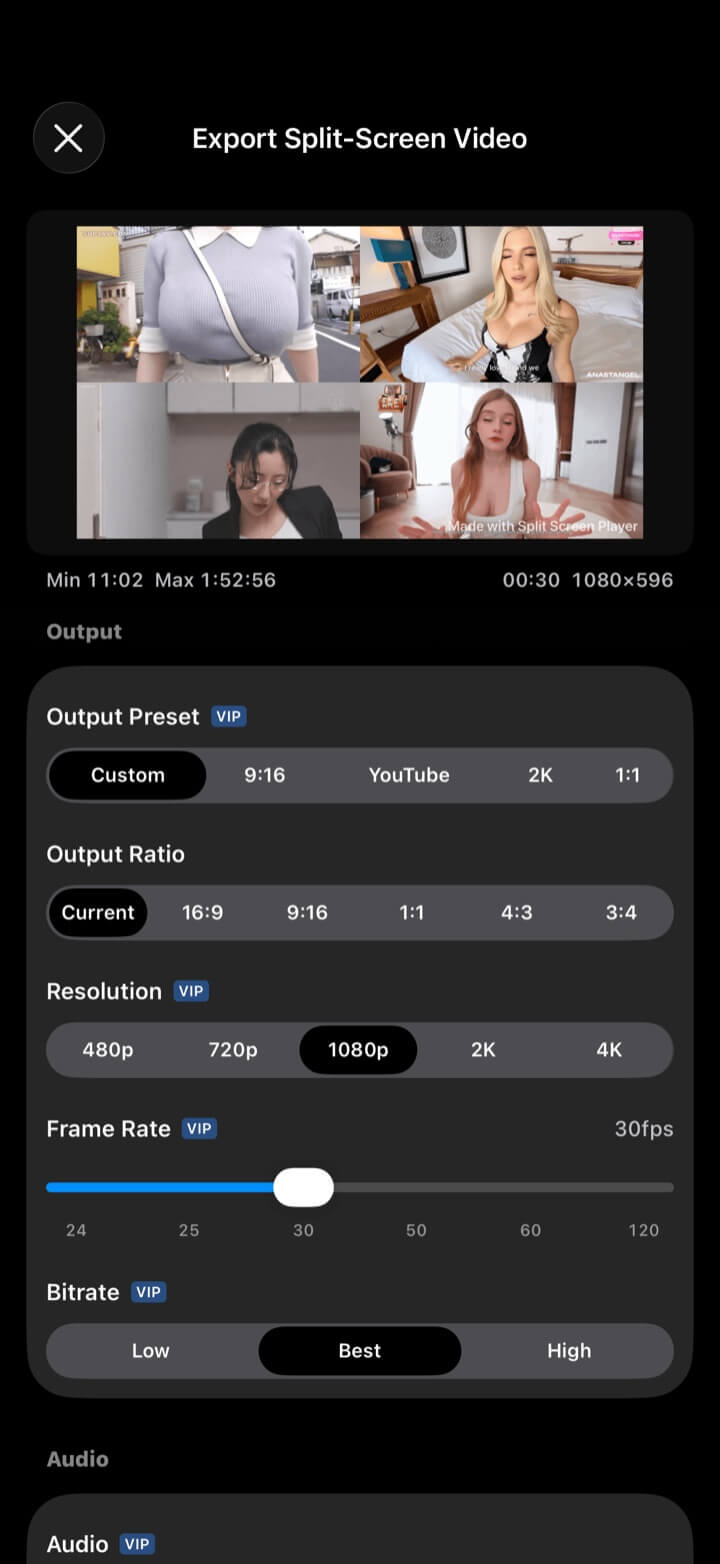
Output
Export renders the visible multi-view composition, not a loose collection of clips. Choose a preset or set the output precisely.
Choose the output settings that fit where and how the finished video will be watched.
| Area | Options |
|---|---|
| Preset and ratio | Custom, 9:16, YouTube, 2K, 1:1; current, 16:9, 9:16, 1:1, 4:3, and 3:4 ratios |
| Resolution | 480p, 720p, 1080p, 2K, and 4K |
| Frame rate | 24, 25, 30, 50, 60, and 120 fps; available choices vary with the output format |
| Bitrate | Low, Best, and High |
| Per-video edits | Crop, position, rotation, trim range, and playback speed |
| Appearance | Background, border width/color, spacing, number/title/time overlays, and watermark |
| Audio | Mute or choose sources, per-source volume, fades, background music, custom audio, trim, and preview |
| Preview and export | 10-second preview, preflight checks, duration guidance, progress, and completion notification |
Visual and audio finish
Shape the final frame and mix without moving to a separate editor for the most common split-screen adjustments.
Preserve the current layout while adjusting background, borders, spacing, crop, position, and rotation.
Show view number, title, and time, then control format and font size.
Add custom watermark text and choose its size.
Select audible sources, balance volume, add fades, and place background or custom audio.
Create a short preview and resolve preflight warnings before the full render.
2K/4K, high bitrate/60 fps, per-video speed and trim, advanced audio, overlays, and custom watermark controls require VIP.
Explore more
← Back to homeSplit-screen export
Turn the view on your screen into the video you send.