
Choose a two-pane layout. In each pane, use + → Web/stream, paste a direct stream URL, select Stream and tap the arrow. This example plays HLS above and RTSP below using controlled golf test feeds.
Open a stream in one pane
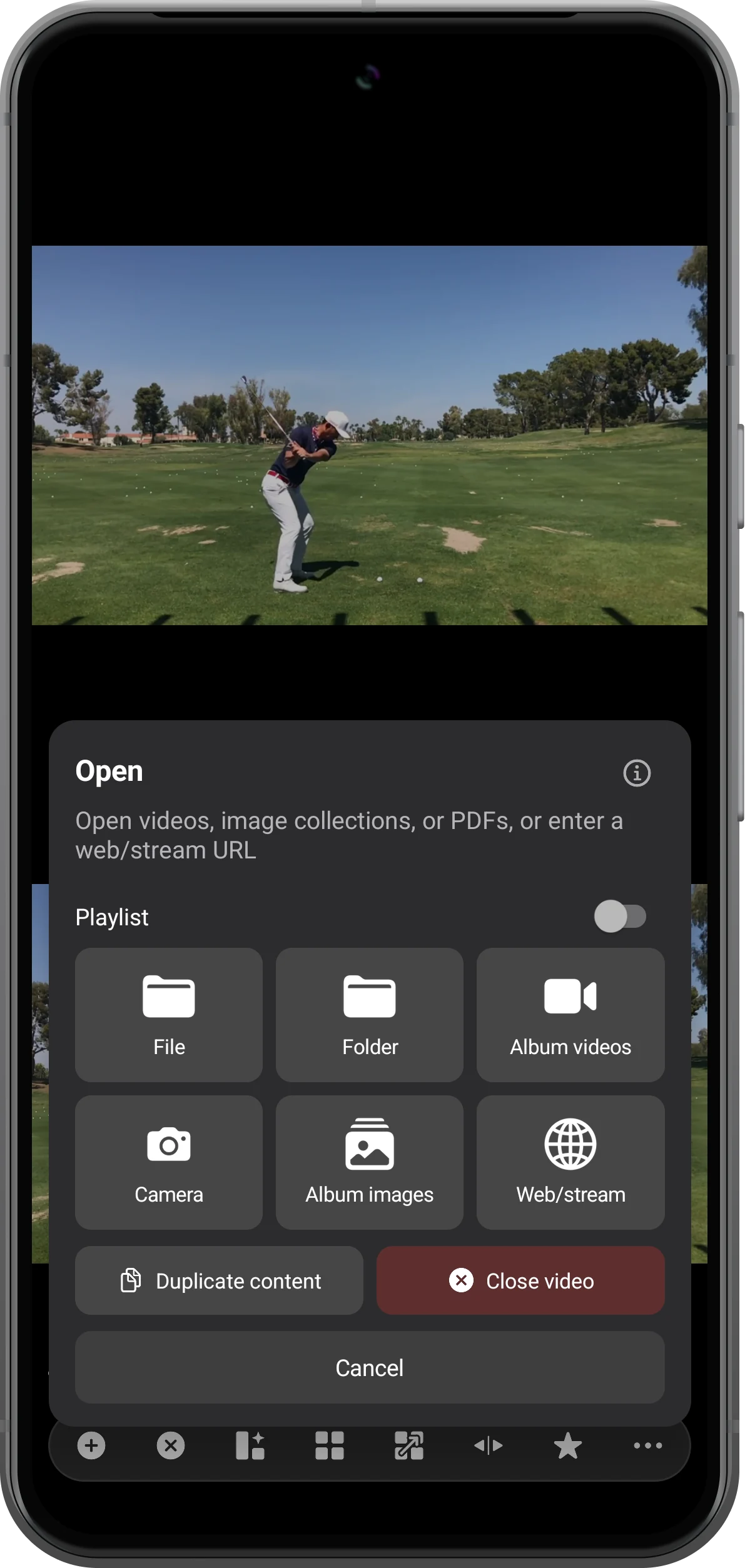
Tap the pane's + button and choose Web/stream. Use a separate pane for each source so the second address does not replace the first.
Enter the HLS address
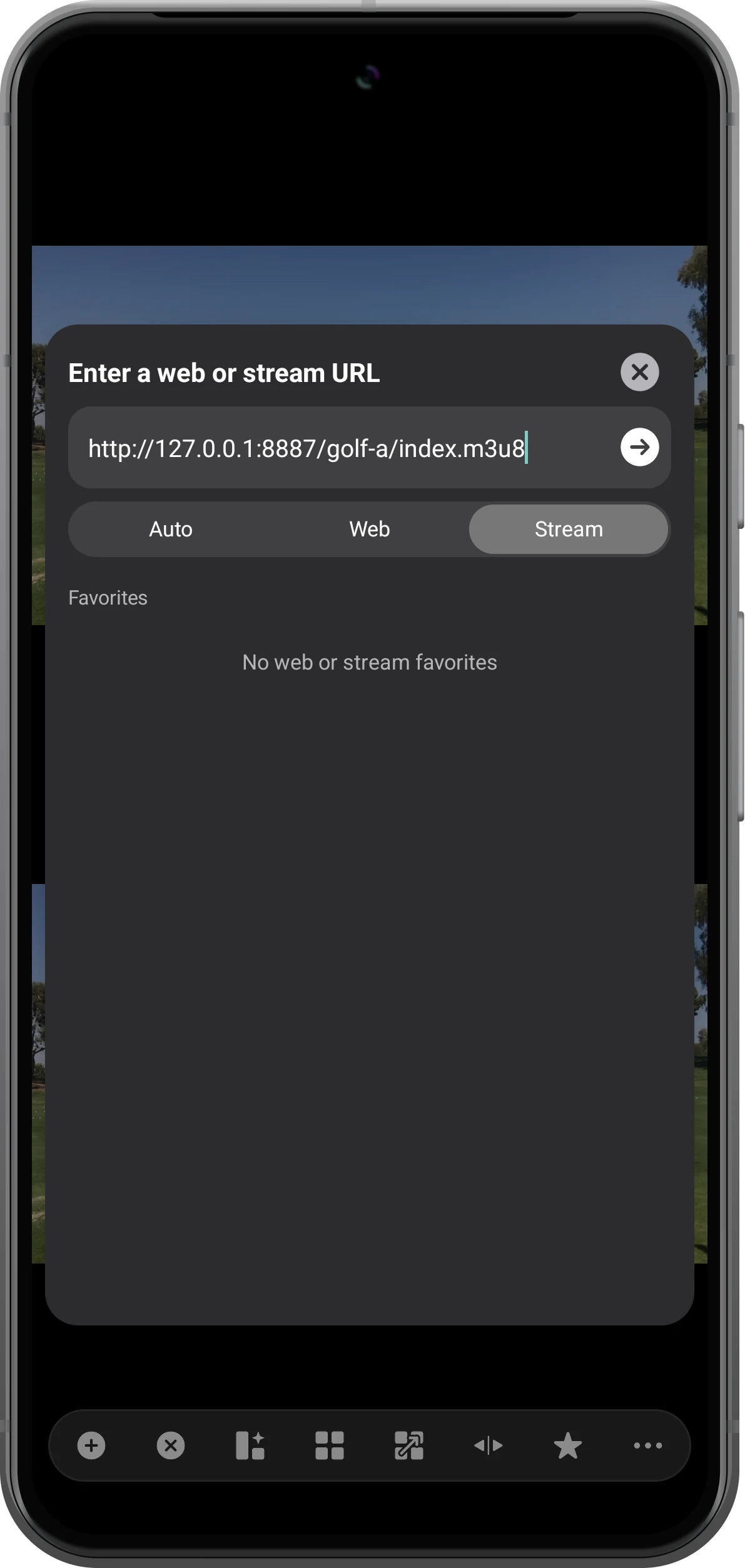
Paste your direct HLS URL, usually ending in .m3u8. Choose Stream and tap the arrow beside the address. Wait for the first video to appear.
Add the RTSP source
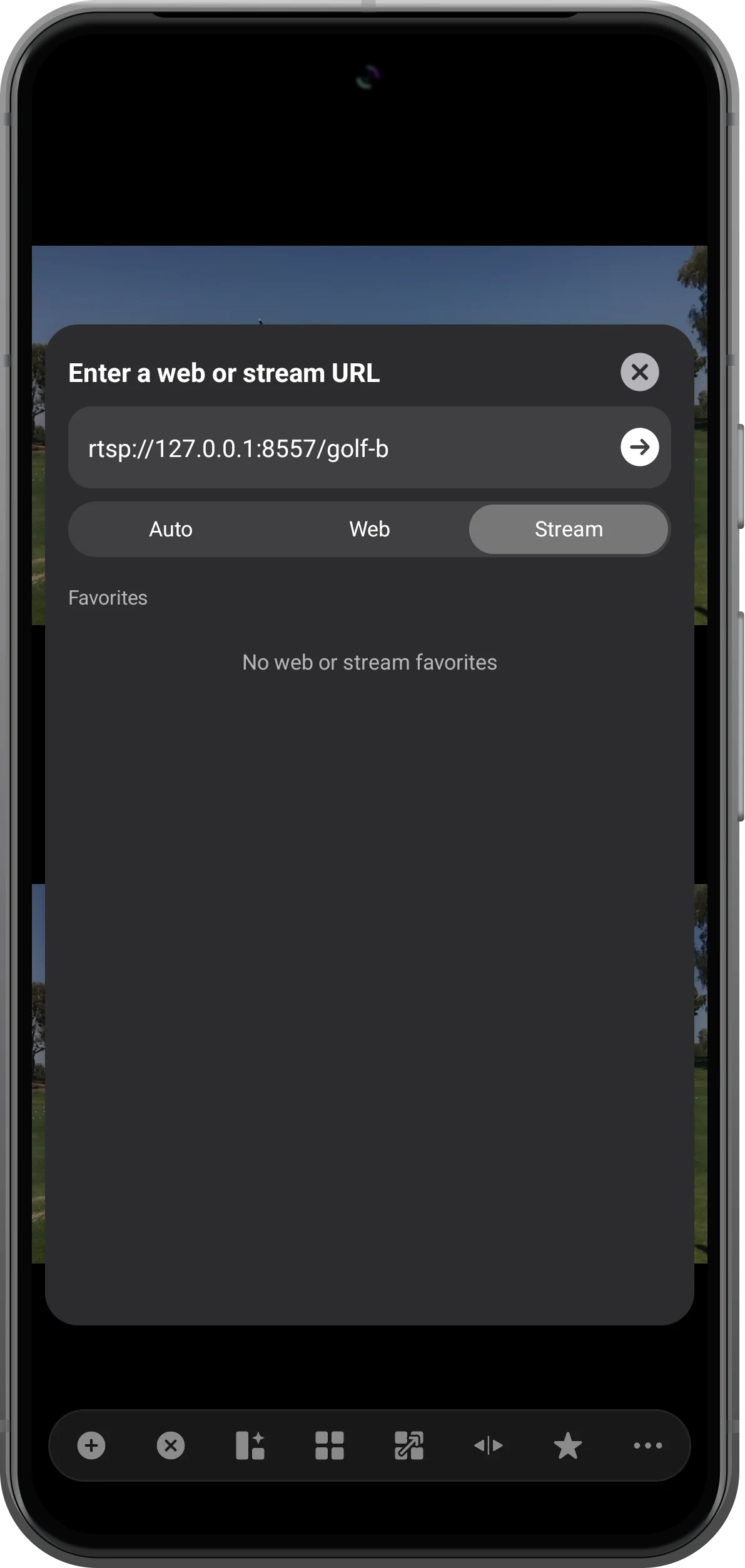
Open Web/stream in the other pane, enter its rtsp:// address, choose Stream and tap the arrow. In this test, the second feed shows the other golf recording.
Check both moving pictures
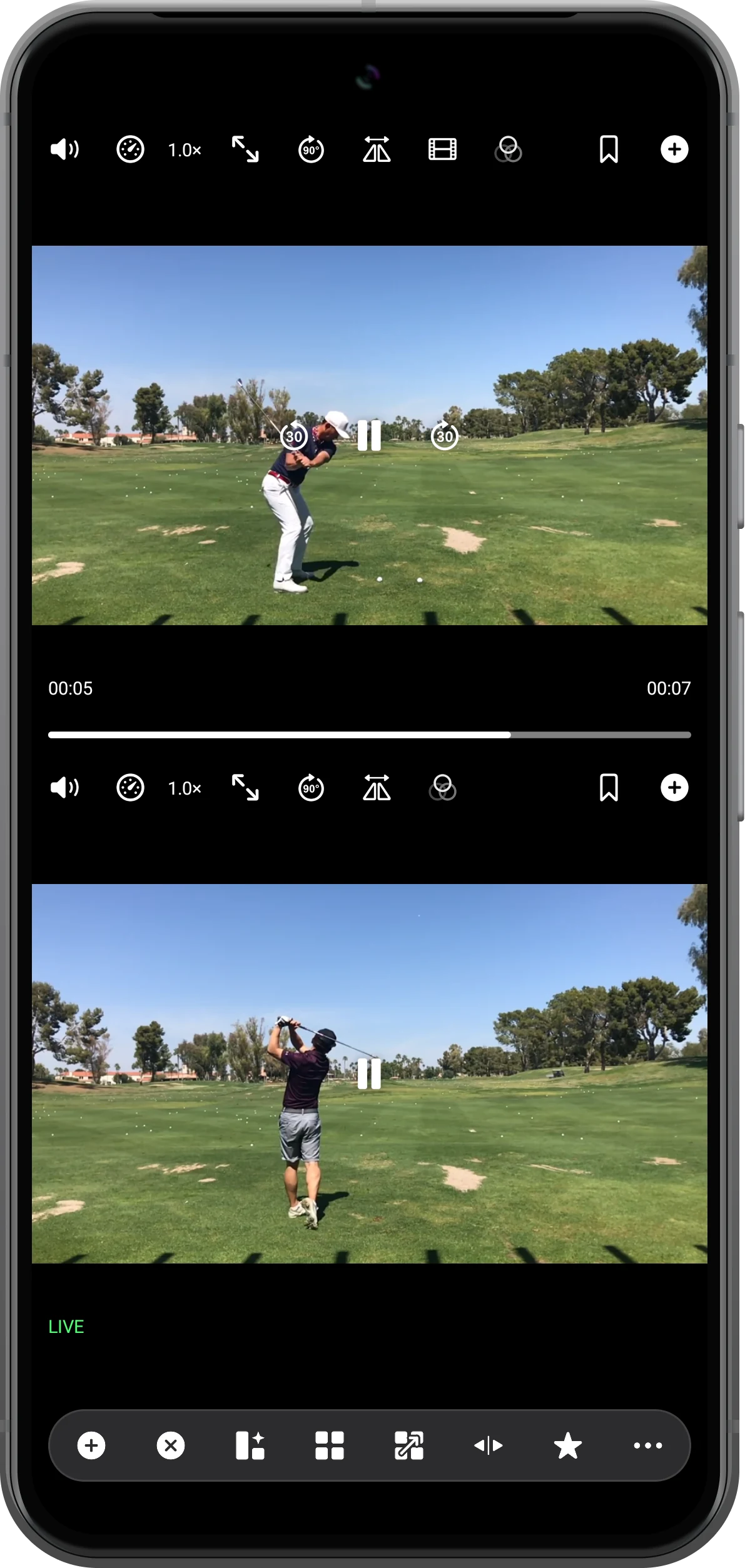
Let both sources load and reveal their controls. The lower RTSP pane shows LIVE; the HLS pane displays the server's available playback window. Confirm that both pictures continue moving.
More possibilities
Useful details
Check these details as you follow the steps.
Recover after a source interruption
First restore the source or network. In our RTSP test, stopping the publisher interrupted playback; after restarting it, tapping the affected pane's play button connected again. Recovery depends on the source and connection.
Expect different delays
HLS buffering and RTSP transport can introduce different delays. Simultaneous playback does not mean frame-perfect synchronization; use local recordings for detailed frame-by-frame comparison.
Frequently asked questions
Can I paste an ordinary video watch-page URL?
A web page is not necessarily a direct stream. Use Web for a page, and Stream for a supported media endpoint. This test does not establish support for DRM-protected or sign-in-only services.
Why do the pictured URLs not work on my phone?
They belong to a controlled local test setup. Replace them with your own reachable HLS or RTSP endpoint. Codec support, server permissions and network availability still affect playback.
Split Screen Player
Try this with your own media
Open Split Screen Player and follow the steps with files you want to use.

