
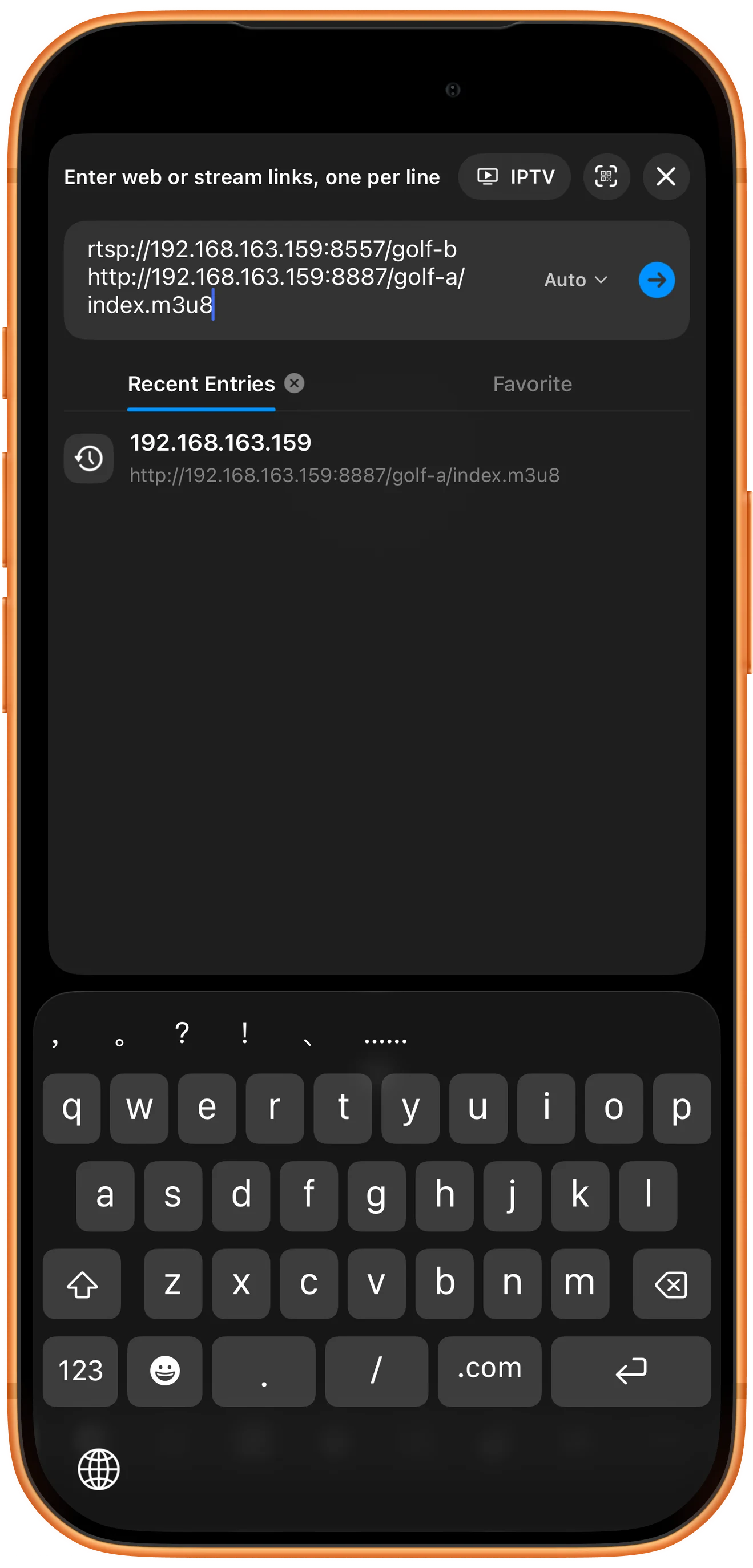
Choose a two-pane layout, tap the bottom + button (Open Multiple) and choose Web/Stream. Enter an RTSP URL and an HLS URL on separate lines, keep Auto selected and tap the blue arrow. This example places RTSP above HLS.
Open the stream input
Start with two empty panes arranged vertically. Tap the bottom + button (Open Multiple), then choose Web/Stream in the Open menu to add both sources together.
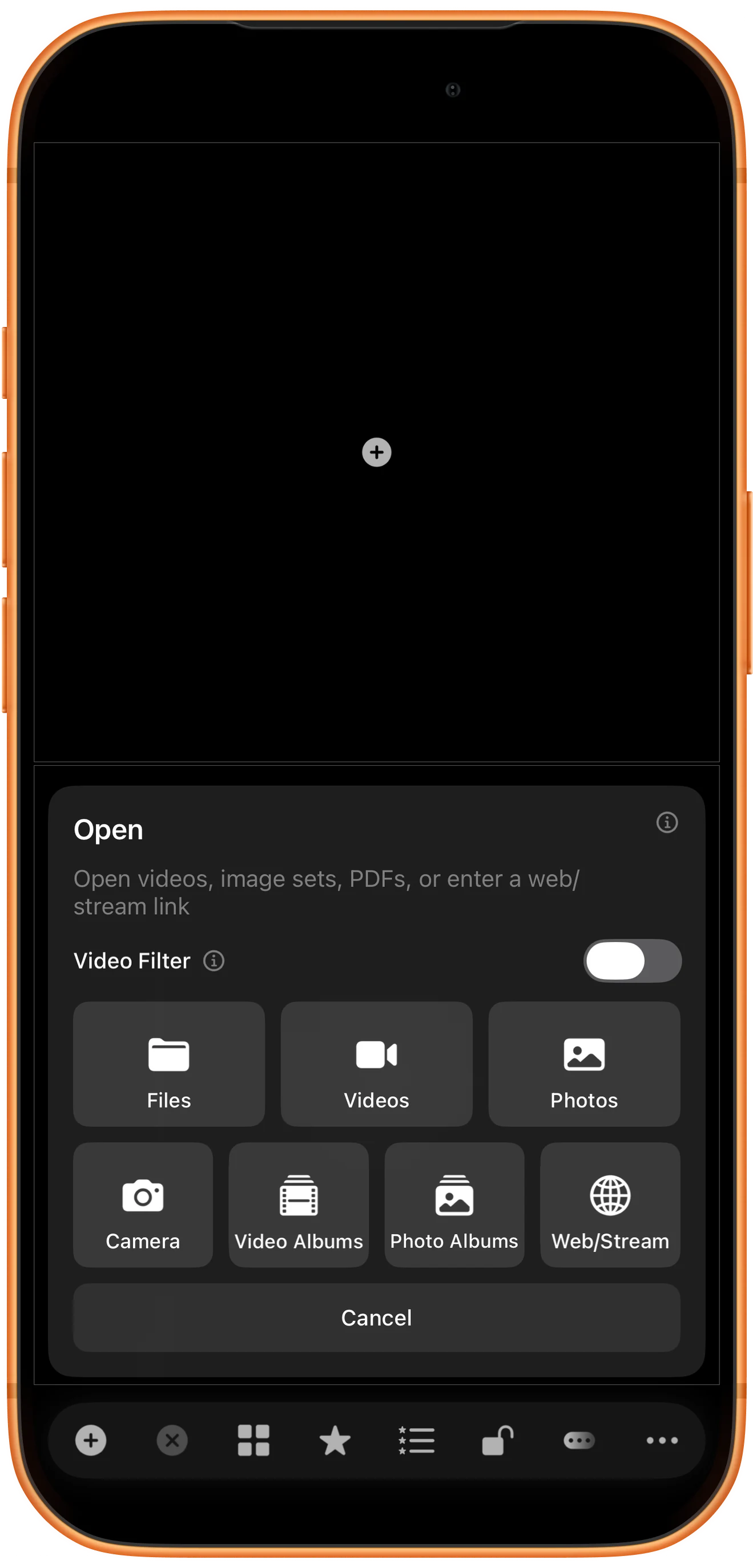
Enter both addresses
Paste the RTSP address on the first line and the HLS address on the next. Leave the mode on Auto, as shown, and tap the blue arrow to open these direct stream links.
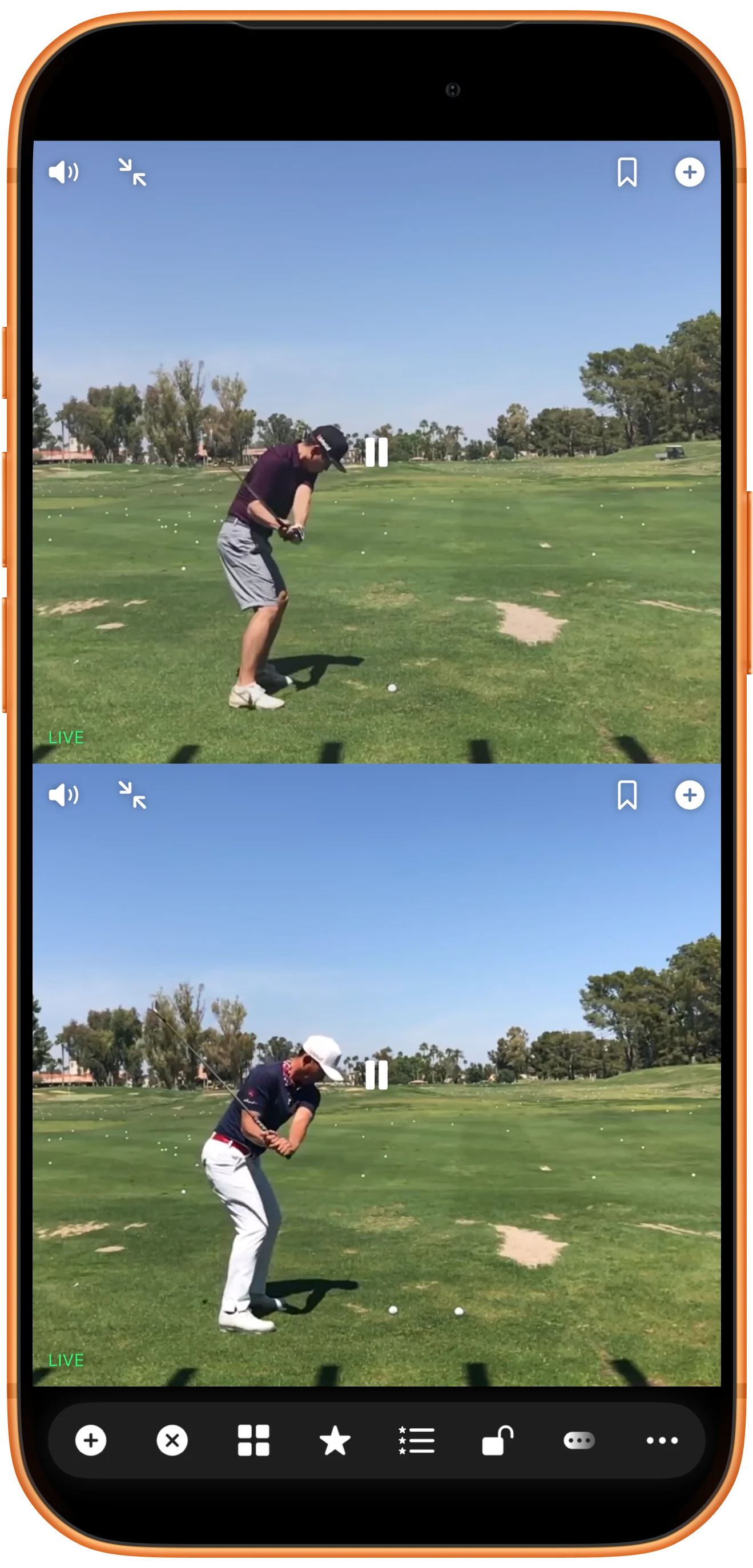
Check both players
Wait for both pictures to appear, then tap the video areas to reveal their controls. In this example RTSP is on top and HLS is below; both players show LIVE. Check that both pictures continue moving.
Watch with the controls hidden
Use Hide Toolbar to collapse the bottom toolbar and let the player controls fade. Both streams stay in view. The final screenshot shows a full-screen arrangement with no controls covering the golf swings.

More possibilities
Useful details
Check these details as you follow the steps.
Allow for different delays
RTSP and HLS can buffer differently. Playing them together does not align the same instant in both pictures; use local recordings for precise frame-by-frame comparison.
Test the sources separately if needed
If one pane stays blank, try its URL alone and confirm the server is online. For a local server, also check the Wi-Fi connection and the app’s Local Network permission.
Frequently asked questions
Can I copy the addresses in the screenshot?
They are temporary addresses on the test Mac’s local network, not public demo links. Use your own reachable stream endpoints; 127.0.0.1 on a phone refers to the phone itself.
Can I use a normal video webpage instead?
A watch-page URL is different from a direct RTSP or HLS media URL. Use Web for browsing pages. This guide uses direct streams and does not establish support for every website or protected service.
Split Screen Player
Try this with your own media
Open Split Screen Player and follow the steps with files you want to use.

