
Open Export Split-Screen Video from the toolbar. Check the range and clip framing, select output settings, tap Start Export, and save the completed result to Album or Files.
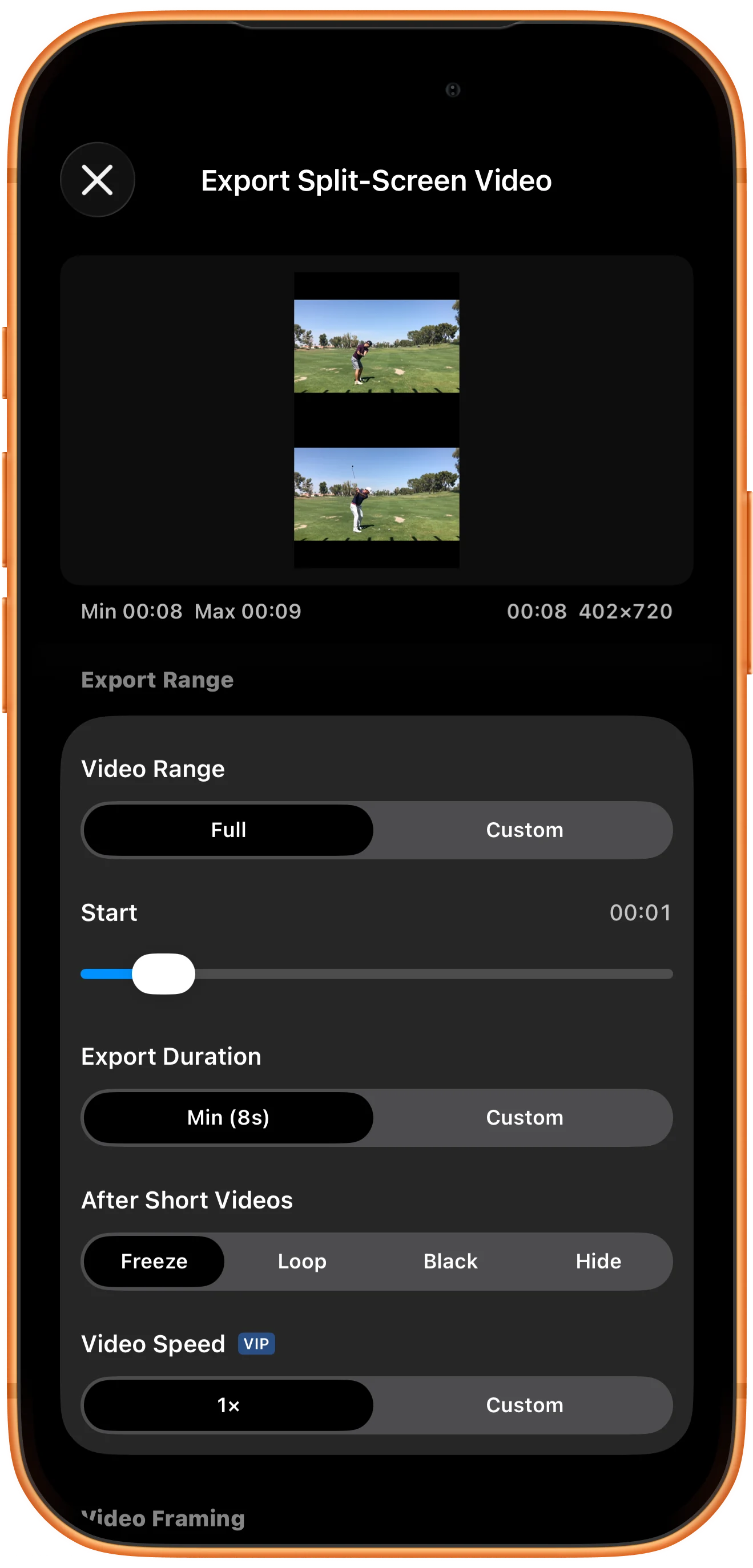
Check the start and duration
Open the exporter after arranging your videos. Review the Start position and Duration even when Full is selected, because the current playback position can affect the available range.
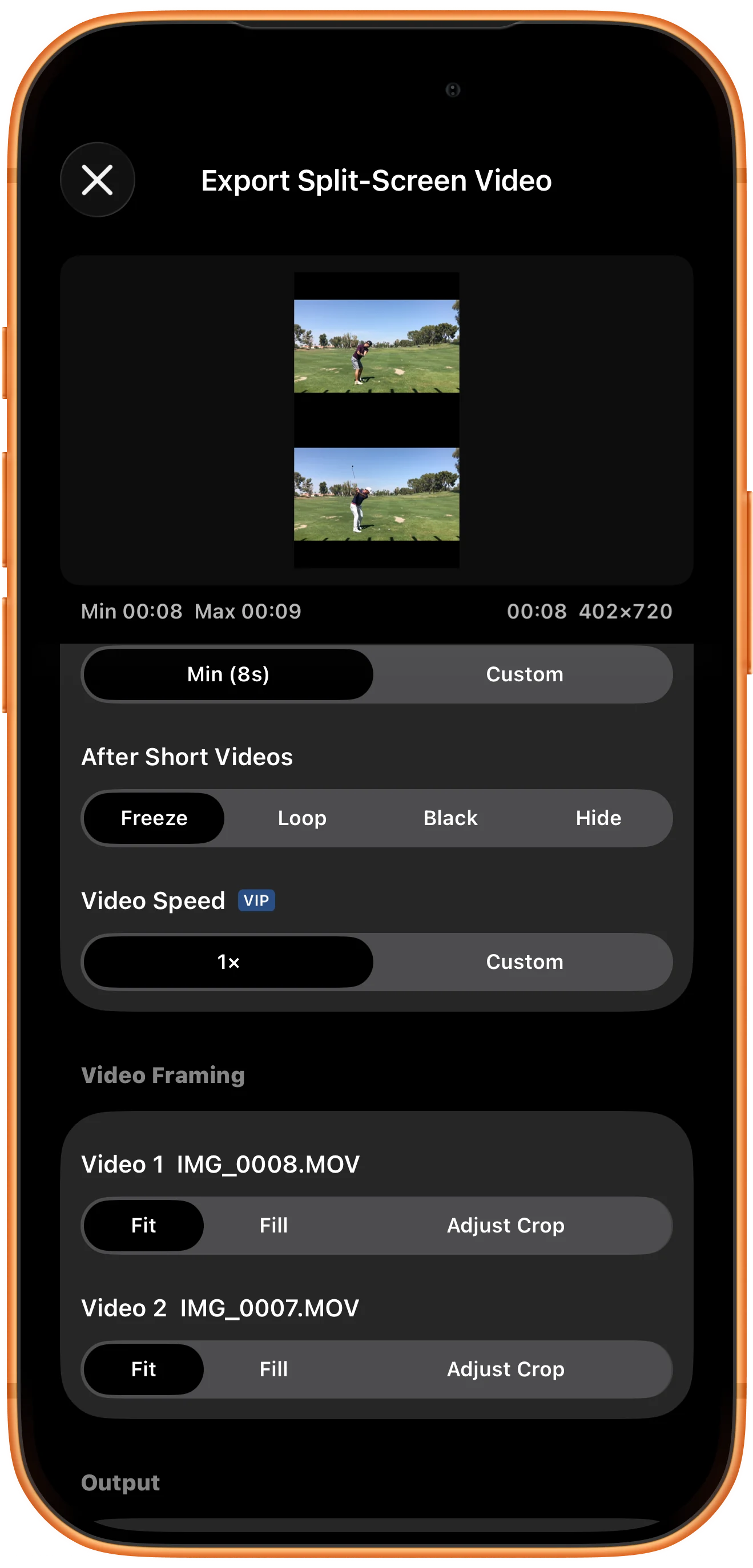
Inspect each clip’s framing
In the framing controls, choose Fit to retain the full image or Fill to crop to the region. Use Adjust Crop if needed, and choose what happens after a shorter clip ends.
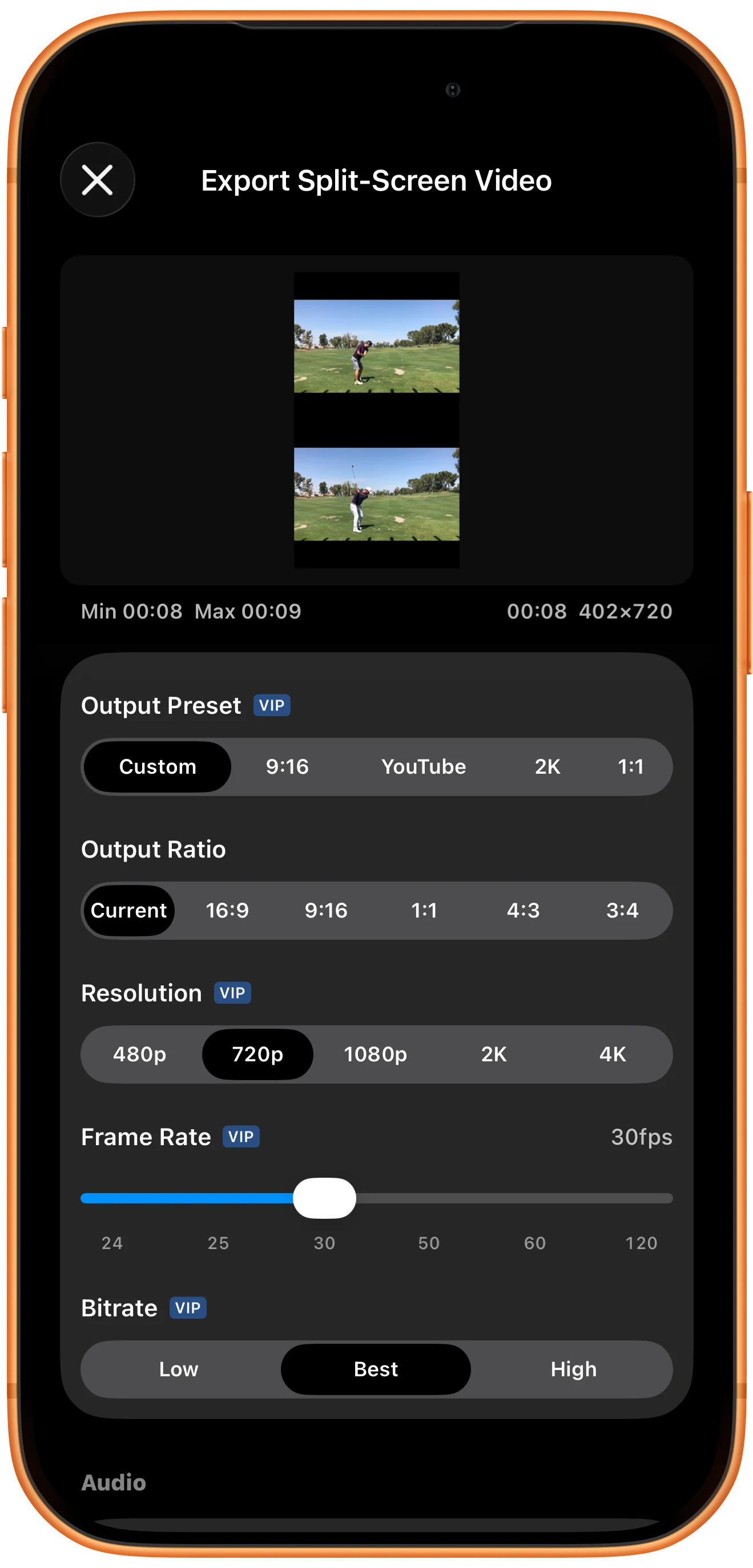
Choose output and audio settings
Keep Output Ratio on Current to preserve the arrangement. This example uses 720p, 30fps, Bitrate Best, and Audio All. The export confirmation warns that the selected golf clips have no readable audio tracks.
Export, preview, and save
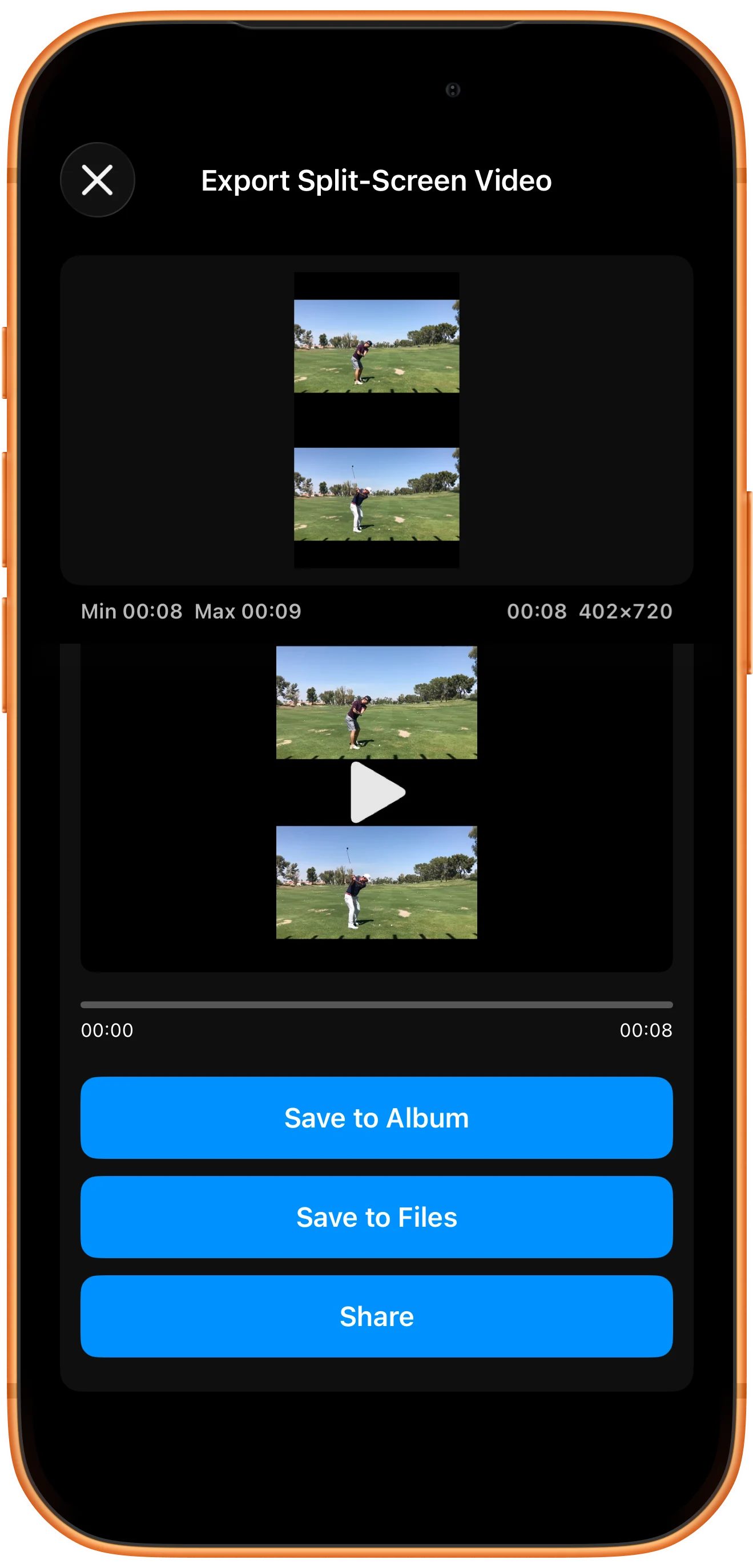
Tap Start Export, review the confirmation, and wait for Split-screen video generated. Preview the result, then choose Save to Album or another destination. Open the saved file to verify both panes and the duration.
More possibilities
Useful details
Check these details as you follow the steps.
Resolution follows the canvas shape
The example produced a 402 × 720 video because the split-screen canvas is tall. A 720p selection does not force every layout into a 16:9 frame.
Silent sources produce silent output
All can only use audio that exists in the sources. Muting and audio selection cannot create a soundtrack for silent clips.
Frequently asked questions
Is saving the workspace the same as exporting?
No. A bookmark restores the editable arrangement. Export renders a new video file that other players can open.
Which settings require Premium?
Look for the VIP badges beside advanced options and check the app’s prompt before selecting them. This walkthrough was captured with Premium activated.
Split Screen Player
Try this with your own media
Open Split Screen Player and follow the steps with files you want to use.

