
Use the bottom toolbar's Open button and choose Folder. Select the folder, tap Use this folder, then Allow. This example imports two golf clips into two panes. Save a workspace bookmark if you want to reopen the combination later.
Use the bottom toolbar's Open
Tap + on the bottom toolbar, then Folder. Leave Video filter off to include all supported videos in this example. A pane's own + has a different scope.
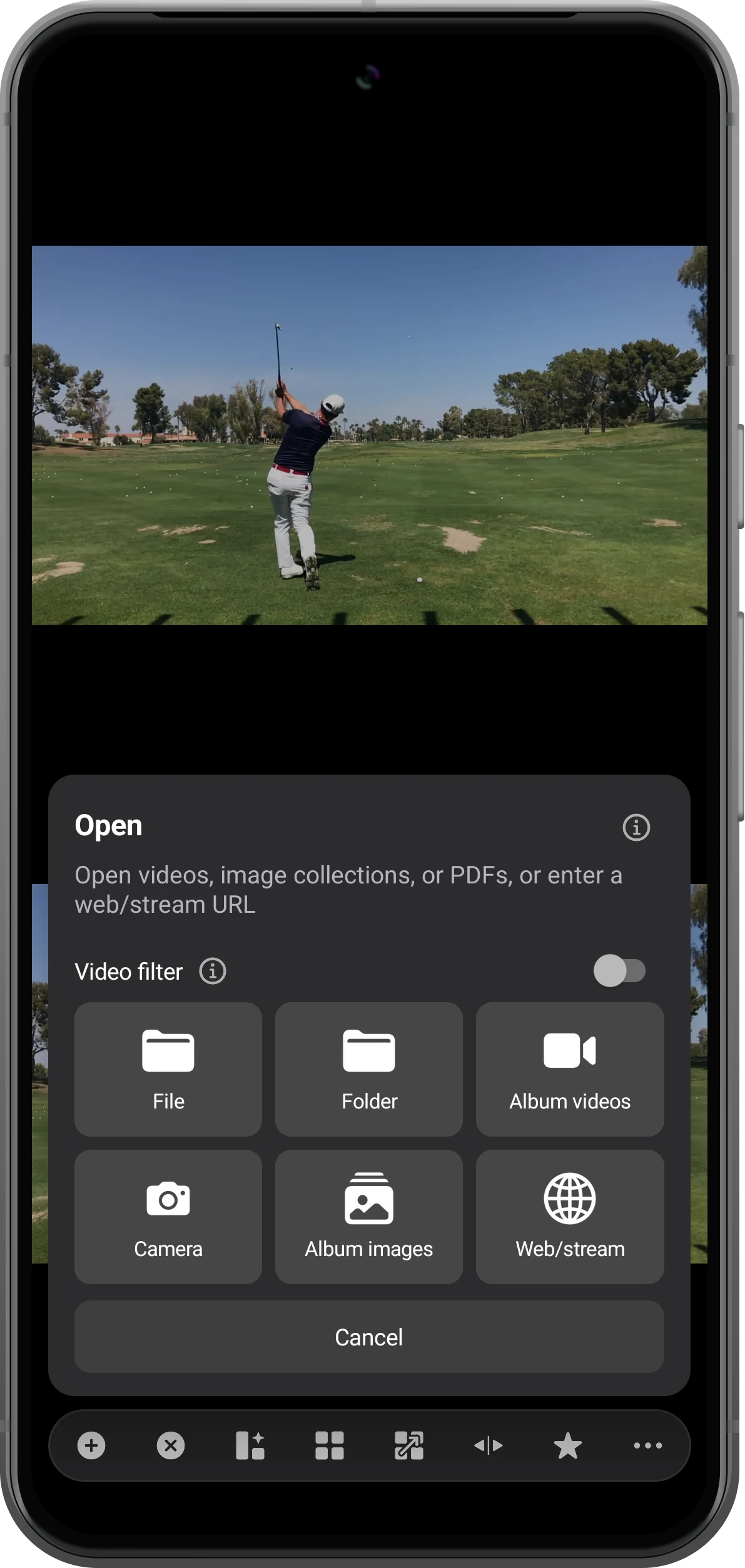
Choose the source folder
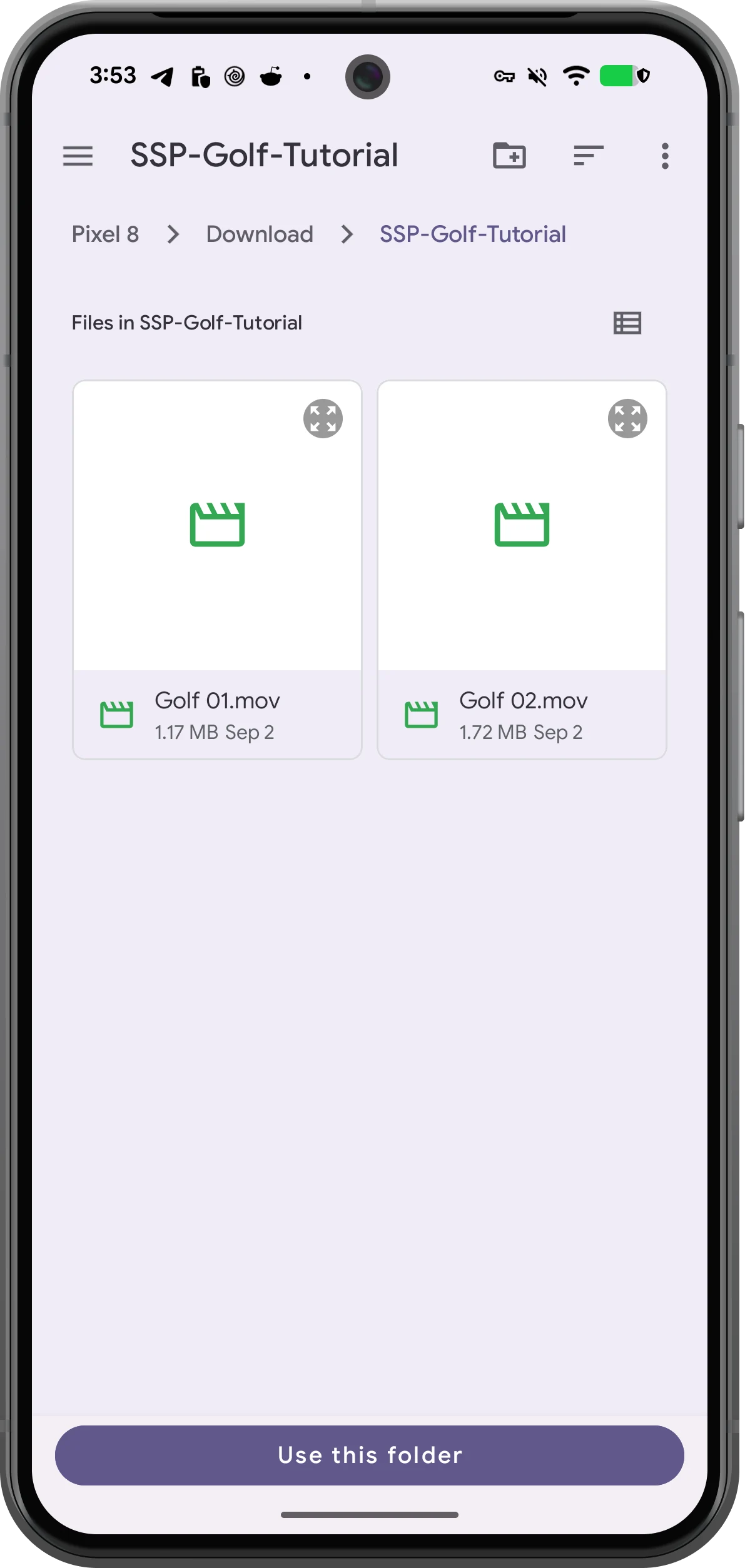
Navigate to a dedicated media folder in Android's picker. Here SSP-Golf-Tutorial contains Golf 01.mov and Golf 02.mov. Tap Use this folder.
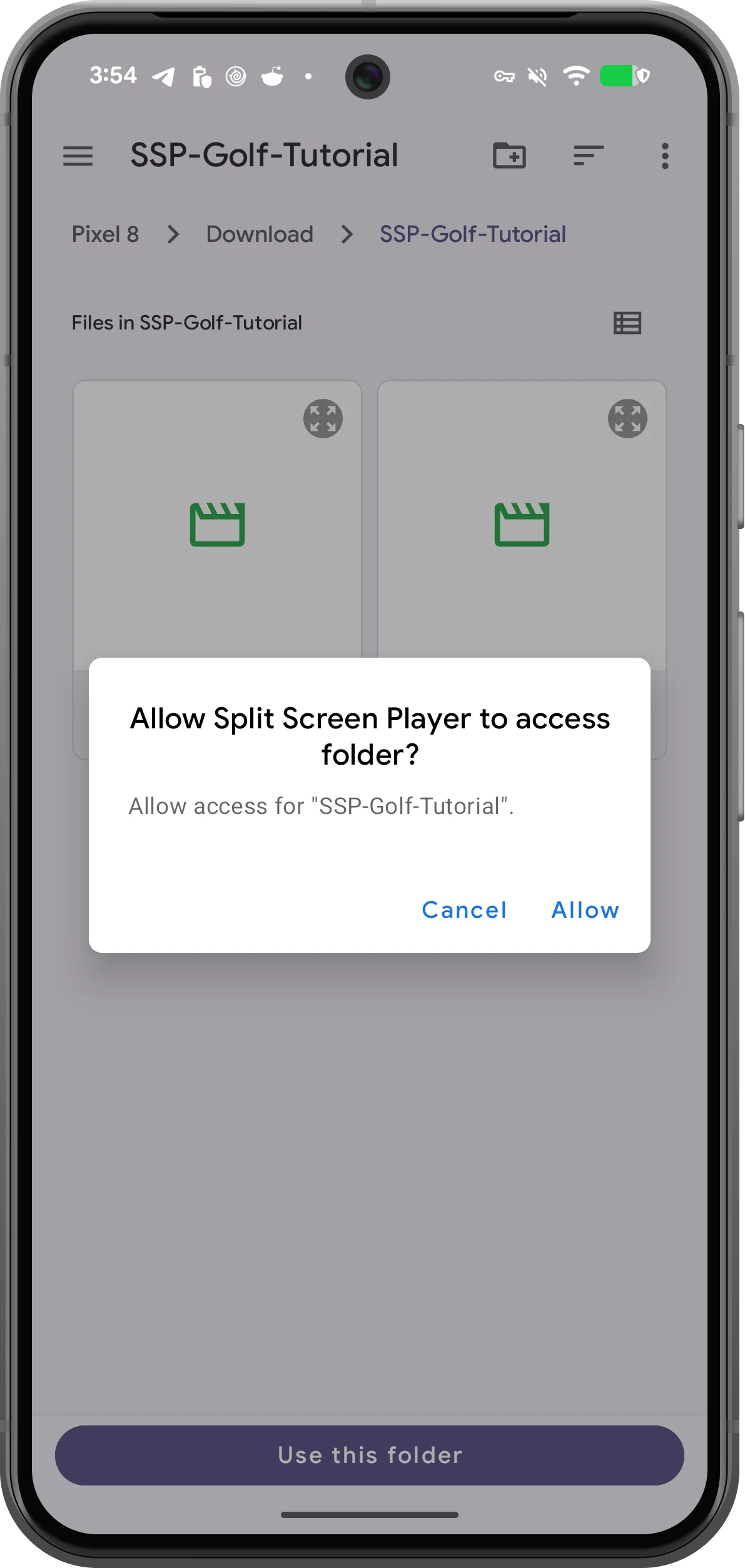
Allow access to that folder
Check the folder named in Android's prompt, then tap Allow. The app can now read the selected folder. Choose a subfolder if Android does not allow selecting a storage root.
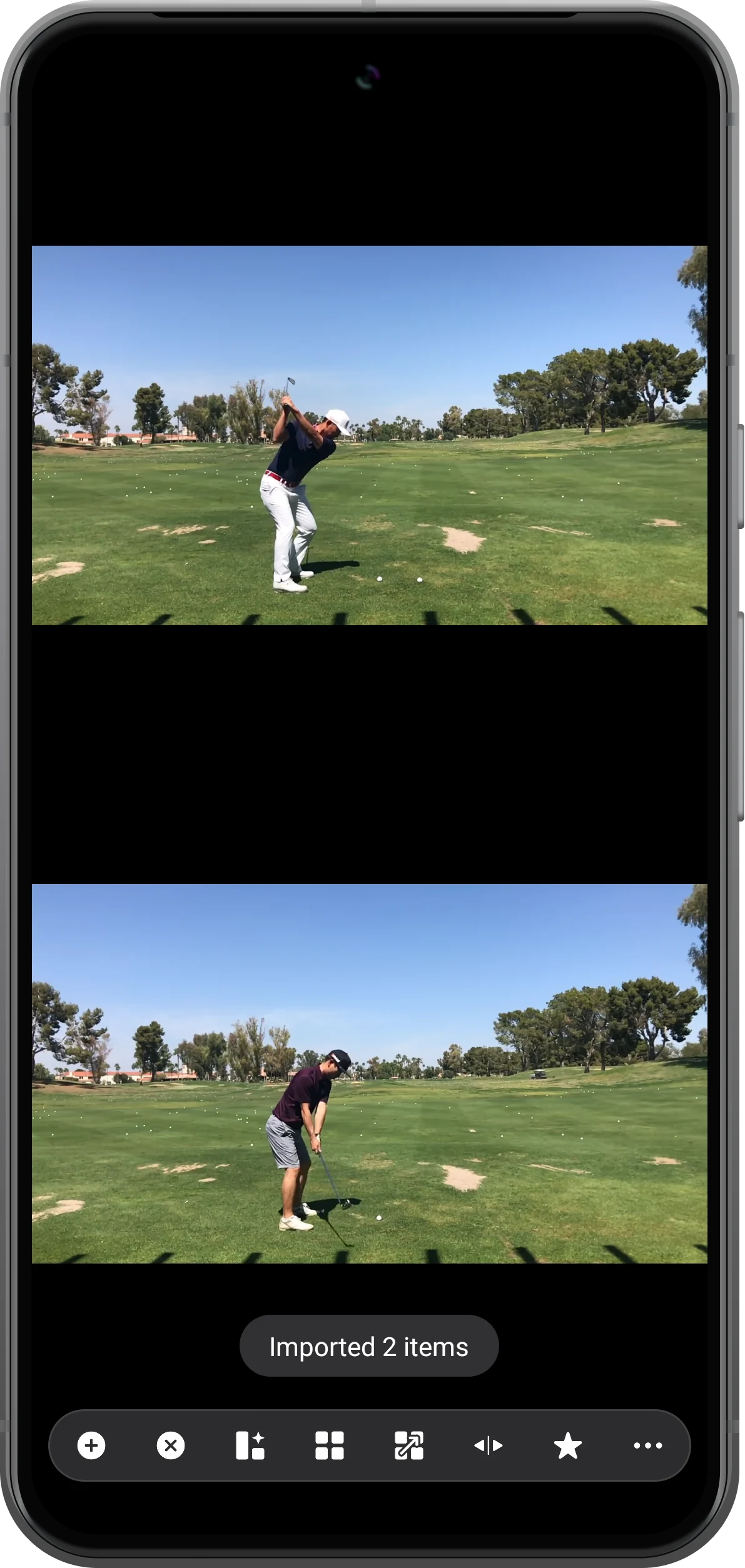
Check the imported workspace
Wait for the import and start playback in both panes. The two clips are opened separately. Save a workspace bookmark to retain the arrangement for another session.
More possibilities
Useful details
Check these details as you follow the steps.
Choose individual files instead
Select File from the toolbar's Open menu. In the Android picker, long-press one video, select the others and use the selection confirmation. This lets you choose a subset without importing the folder.
Reopen with a bookmark
In our test, the saved folder workspace reopened after restarting the app and both clips played. Keep files in place and retain access; a bookmark does not contain a backup of your videos.
Frequently asked questions
Why does opening a folder from one pane show only one video?
In the tested version, a pane's Folder action opened the first video even with Playlist enabled. Use the bottom toolbar for a batch workspace, or select multiple files with a pane's Playlist option for a list.
Does importing make the workspace restore automatically?
Not necessarily. The tested app restarted with empty panes. Use a saved bookmark to restore the combination rather than relying on automatic session recovery.
Split Screen Player
Try this with your own media
Open Split Screen Player and follow the steps with files you want to use.

